
Transcribe by Moliri
Interviews, guided tours and recordings become a transcript with time marks and speakers. The app runs on your computer, and the recordings stay there. It is free software.
One file, no installation. Runs on its own and with Moliri. The interface is in German.
Recordings become text
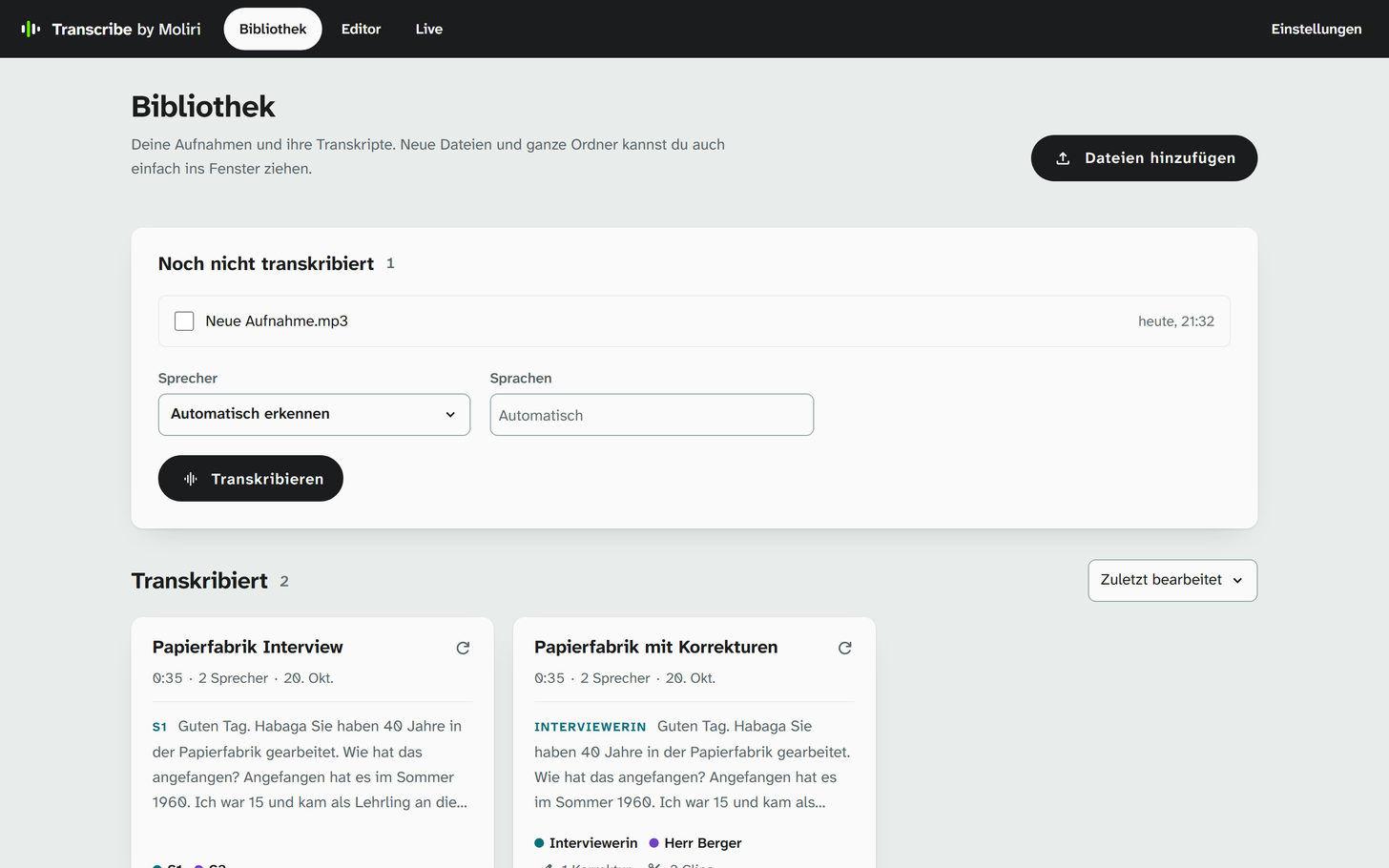
Drag audio or video files into the window, whole folders too. Transcribe recognises who speaks and in which language, and writes down what was said with time marks. Applause, music and laughter appear as markers in the text.
The library shows each recording with the start of its transcript, its speakers and how far it has been corrected. What is still running is listed above.
Listen, read along, correct
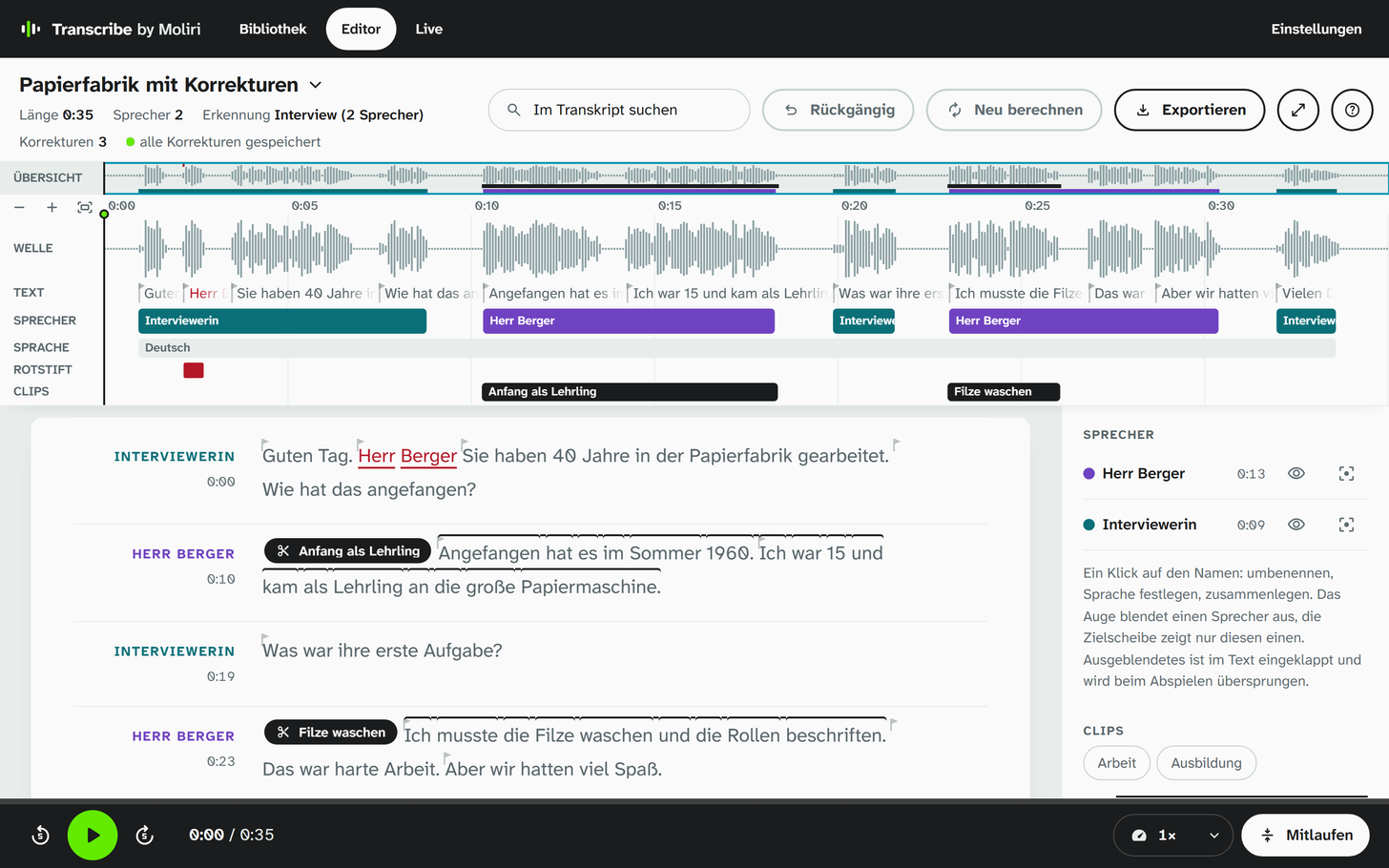
The editor plays the recording and highlights the passage being spoken. Where the recognition was unsure, the word is marked. You correct right in the text; every correction is kept, even when you have the recording computed again.
Speakers get names and can be merged. Important passages are kept as clips with a title and keywords. The transcript goes out as text, as subtitles (VTT) or as HTML for Word and MAXQDA, clips also as audio or video files.
Live notes and dictation
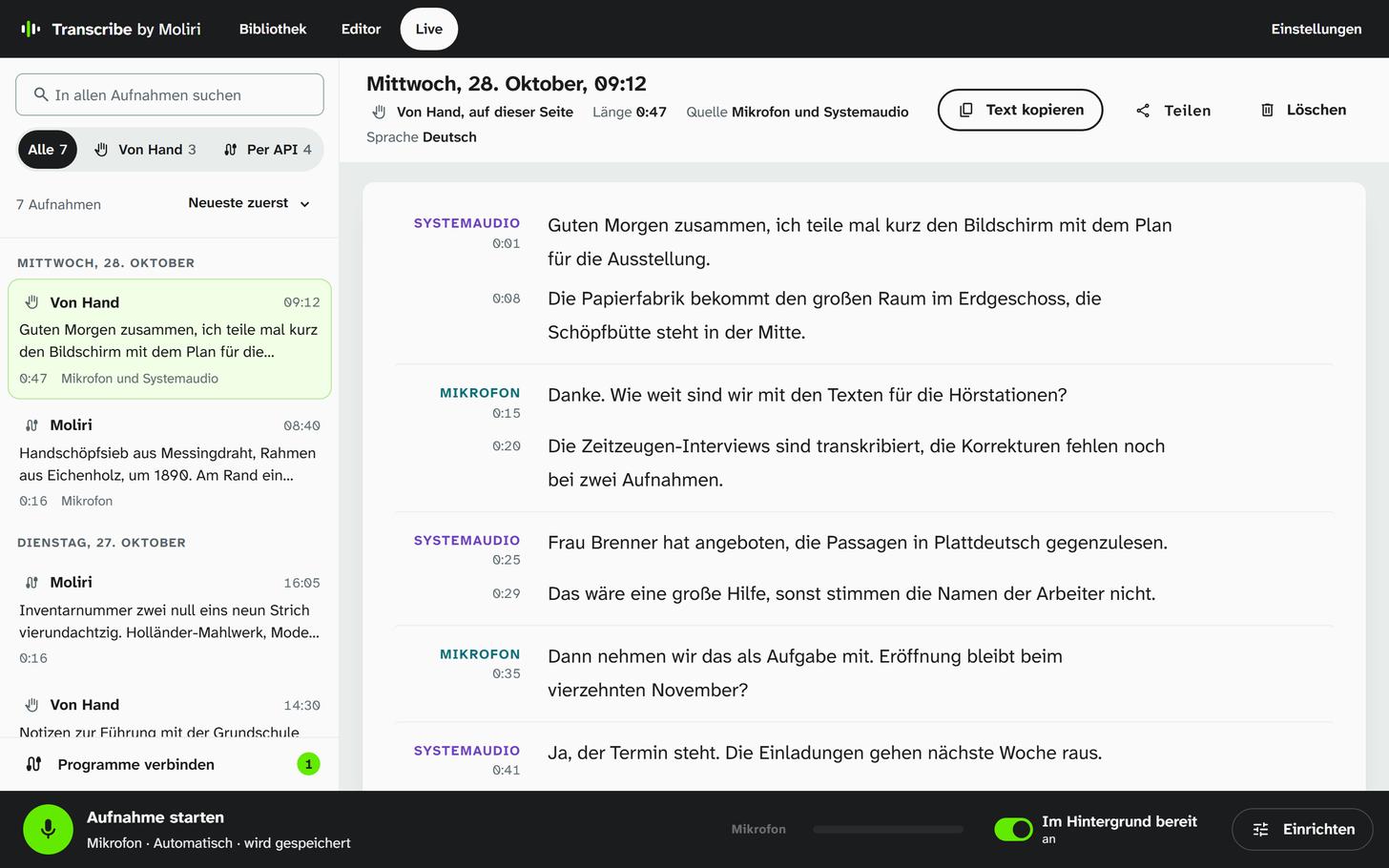
On the page Live, speech turns into text at once: from the microphone, from the computer's sound such as a video call, or from both. If you like, Transcribe keeps the recording and transcribes it completely with speakers afterwards.
With Ctrl + Alt + Space you dictate into any program. The text appears where the cursor is.
On its own and with Moliri
Transcribe needs no account and no connection to Moliri. If you work with Moliri, connect the two: in your Moliri profile, choose Transcribe for speech input and for text recognition. You then dictate into any text field in Moliri, and Transcribe reads the text of scans, Fraktur included. Sound and images do not leave the computer.
Instead of the models on the computer, Transcribe can also use a service through its API, such as ElevenLabs or a server with an OpenAI-compatible interface in your own network.
In the manual: Connecting to Moliri (German)
What Moliri uses Transcribe for
- Speech inputDictation into any text field, the text appears while you speak
- Text recognitionScans and photos, Fraktur included, on this computer
- ApprovalOnce in Transcribe, per Moliri address
Download
Transcribe is a single file for Windows. Put it in a folder and start it; a folder for recordings, results and models appears next to it. On the first start the app downloads the recognition from the internet, a few hundred megabytes to a few gigabytes in all. After that it works without the internet.
The interface is in German. On Linux and macOS, Transcribe can be built from the source code.
Licence
- Source codegithub.com/moliri-app/transcribe
- LicenceMozilla Public License 2.0
- ModelsUnder their own licences, with attribution in NOTICE
Transcripts at the object
In Moliri, interviews, scans and their texts belong to the object and are part of the full-text search. In a demo we show how that works together with Transcribe.