
Transcribe by Moliri
Live and dictation
On the page Live, speech turns into text at once. On the left are all live notes by day, on the right the text of the selected one, and at the bottom the bar for recording.
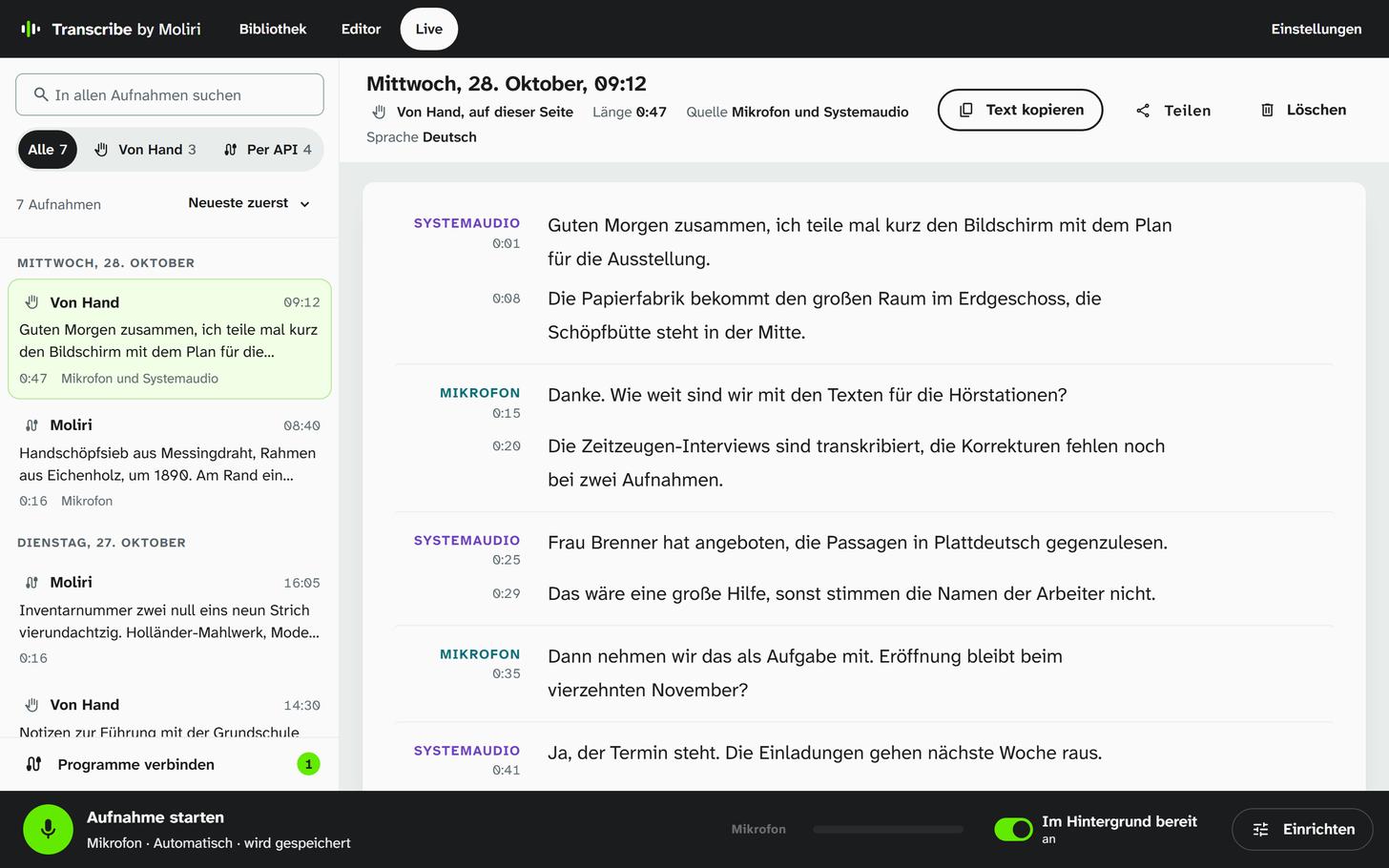
A meeting, taken down from the microphone and from the computer’s sound.
Taking live notes
-
At the bottom, choose Einrichten (set up) and decide what is recorded.
Source What Mikrofon (microphone) What is said into the microphone Systemaudio (system audio) What the computer plays, such as the other people in an online meeting Beides gemischt (both mixed) Best with headphones, otherwise the others are heard twice -
Choose Aufnahme starten (start recording) and speak. The text appears while you speak; each finished sentence gets its time mark.
-
Choose Beenden (stop). Text kopieren (copy text) puts the text on the clipboard.
With Aufnahme speichern (save recording, under Einrichten) the sound is kept as well. The recording then goes into the library and can afterwards be transcribed completely with speakers. Without it, only the text remains.
Einrichten also holds the language, Meine Wörter (my words) for names and technical terms that should be spelled correctly, and Satzzeichen ansagen (dictate punctuation): with it, saying „Komma“, „Punkt“ or „neuer Absatz“ (comma, full stop, new paragraph) inserts the mark.
Dictating into any program
Press Ctrl + Alt + Space, speak, and press it again. Transcribe writes what you said where the cursor is, in Word, in an email or in a form in the browser. Esc cancels. Meanwhile a small window above the taskbar shows what Transcribe has understood so far.
Dictation uses the microphone and the language of the Live page; every dictation is listed there afterwards too. Under Einstellungen → Diktieren (settings, dictation) you can choose a different keyboard shortcut or switch dictation off, and decide whether the text appears at the cursor, goes to the clipboard, or both.
The shortcut works as long as Transcribe is running with its icon in the taskbar, even without an open window. Windows does not allow inserting text into programs running as administrator; there the text is on the clipboard.
Live notes from other programs
Programs such as Moliri can also have Transcribe take live notes. Their notes appear in the list marked Per API, your own marked Von Hand (by hand). How to connect Moliri is described under Connecting to Moliri .