
From the database to the finished document.
Loan agreement, condition report, object list: documents like these are often copied together from the database by hand. In Moliri they are created from templates that fill themselves with the data and images of the selected objects.
Template and report stay Word documents that your team can keep editing.
Your form, filled from the data
A template is an ordinary Word document, such as the loan agreement you use today, with field placeholders in the right places. Moliri inserts the values and images of the selected objects there. You edit the template in the browser or in Microsoft Word.
A template can do more than a mail merge: output paragraphs only under a condition, group objects, select images by keyword, pass annotations on as Word comments. The result is a draft in which the lender sees which details are still open.
In the handbook: Writing Word templates · Recipes
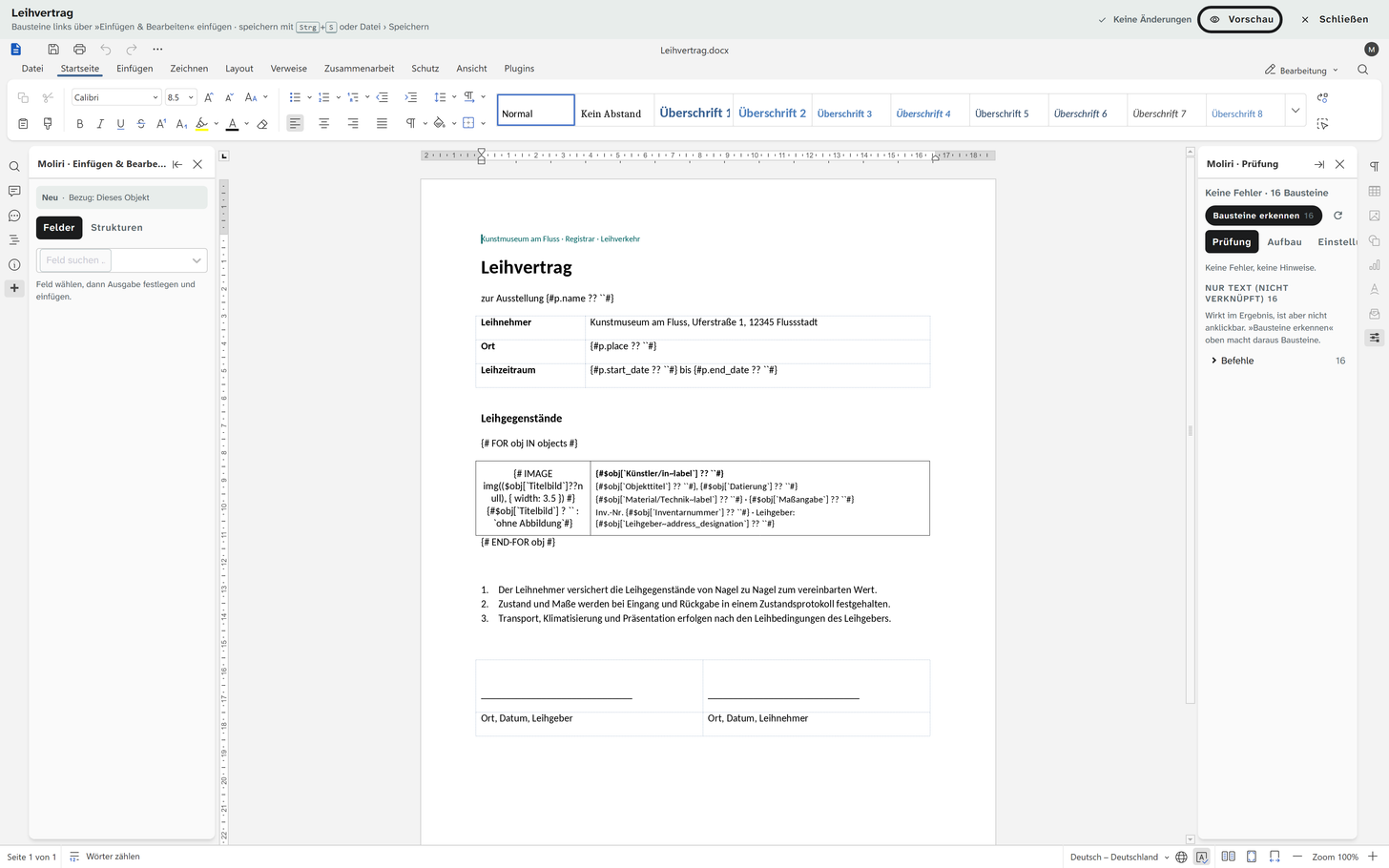
From the filtered collection to the finished document
The filtered list is the report: all loans from one lender, all objects in one room. From it, Moliri creates one document for all objects or one per object. A template fits any project, even where the fields have different names: the mapping is set once per project. Literature references appear in the citation style your institution has chosen.
In the handbook: Creating Word reports
Object lists out and back
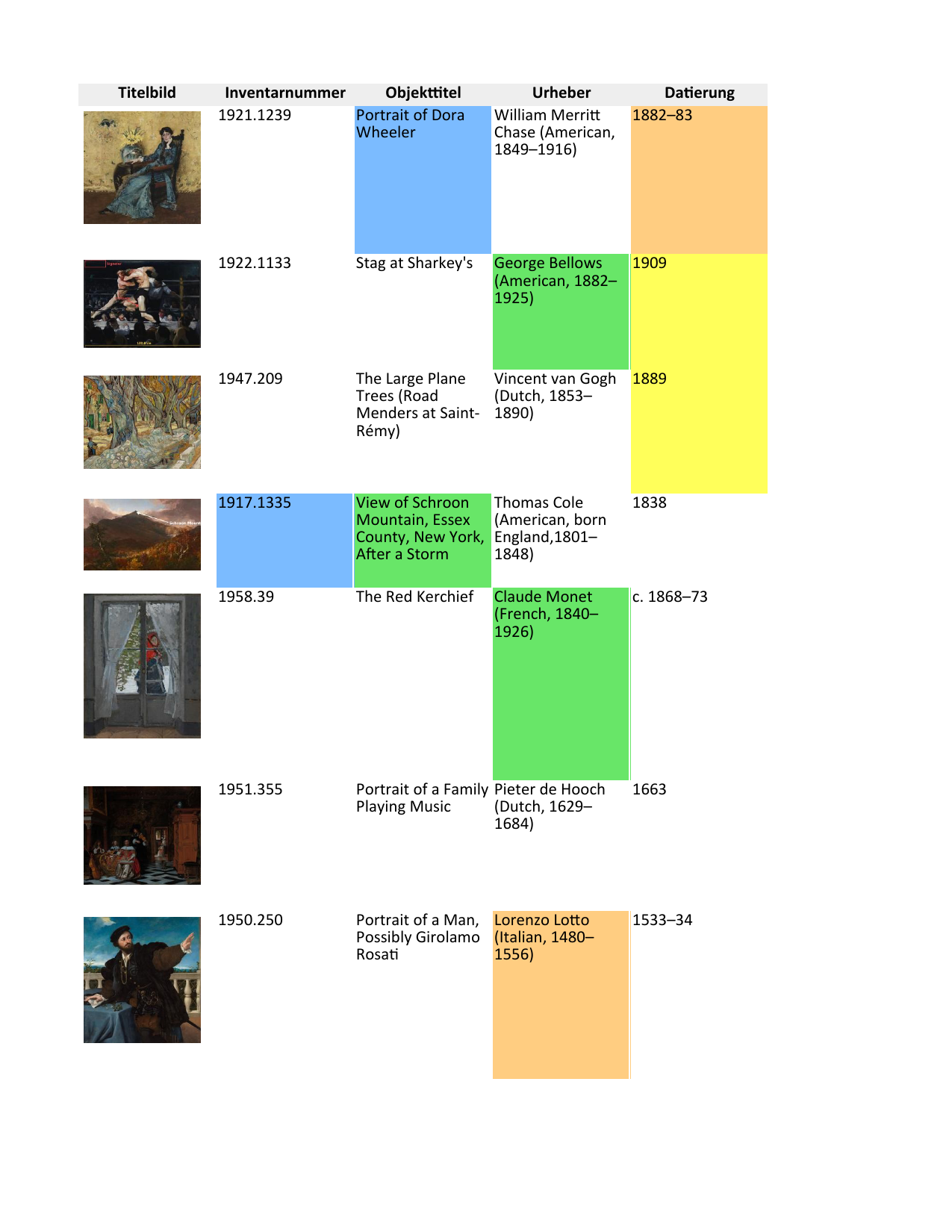
Lists for lenders, insurers and transport go out as an Excel file, with images, colours and comments if you wish. A selection of fields is saved once and reused by the whole team.
When the list comes back with additions, Moliri matches the rows to the existing objects. The lender's colours and comments land back at the field. So working with lenders who do not use Moliri still goes smoothly.
Excel import · In the handbook: Excel export
Images with meaningful file names
Image packages for the catalogue, the press or borrowers go out as a ZIP, with file names and folders built from your fields, by inventory number, for instance. Crops from the image studio also apply in the export.
There are also PDFs to scale, calendar files for dates, bibliographies from the citation list and the metadata standards for delivery to the Deutsche Digitale Bibliothek (DDB) or to other institutions.
All features at a glance
- Objects
Find, organise, change
Read more - Data model
Catalogue the way your institution catalogues
Read more - Checks and data care
Keeping the data clean
Read more - Documentation and research
Documents as searchable text
Read more - Conservation
Findings belong to the object
Read more - Files
One file library for all projects
Read more - Exhibitions and loans
From loan request to the finished wall
Read more - Standards and publication
Map once, deliver anywhere
Read more - Reports and export
From the database to the document
This page - Setup and administration
Your institution carries the instance on
Read more
Send us your form
A loan agreement or a condition report that your institution fills in by hand today. In the demo we rebuild it as a template and create it from object data.