
Map once. Deliver in any format.
Data that is passed on is often passed on several times: as the Minimaldatensatz (minimum data set) to the Deutsche Digitale Bibliothek (DDB), as EODEM for loans, as Dublin Core to a repository. Each format brings its own list of fields. Moliri puts a layer in between.
We supply and maintain the mapping to the standards.
Concepts instead of field lists
At the centre is a catalogue of more than 60 concepts, such as object title, inventory number, material, dimensions or event. A concept is not a format but a meaning.
Your institution maps each concept once to its own fields, whatever they are called and however many there are. The mapping to the standards comes with Moliri. That is why one mapping applies to every standard that uses the concept, and a new format means no new work.
- Your field“Material / Technik” in your input mask
- Conceptmapped once to the concept Material, by you
- StandardsLIDO, DDB-LIDO, Minimaldatensatz, EODEM, Dublin Core, supplied
- DeliveryXML, checked before export
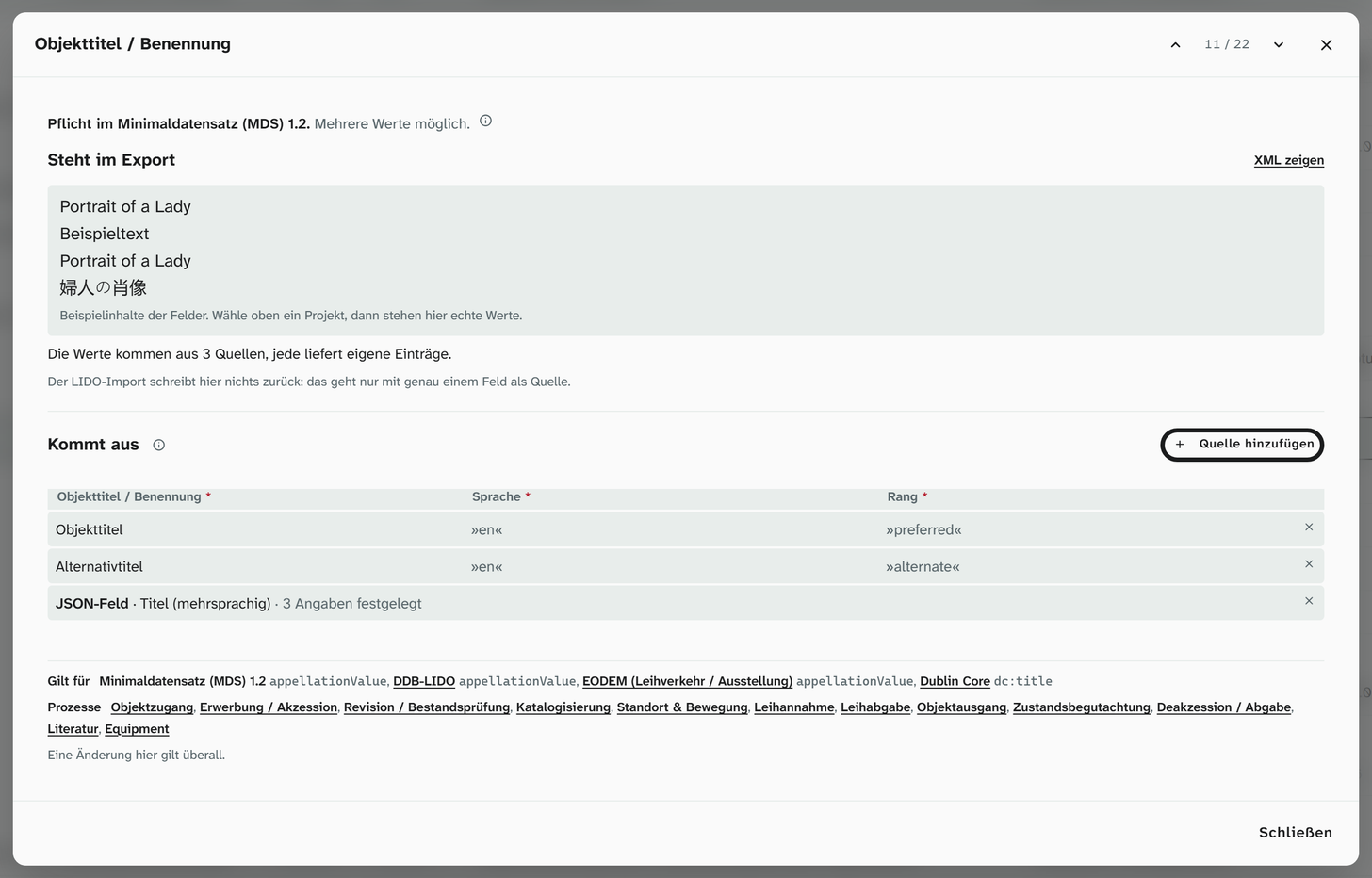
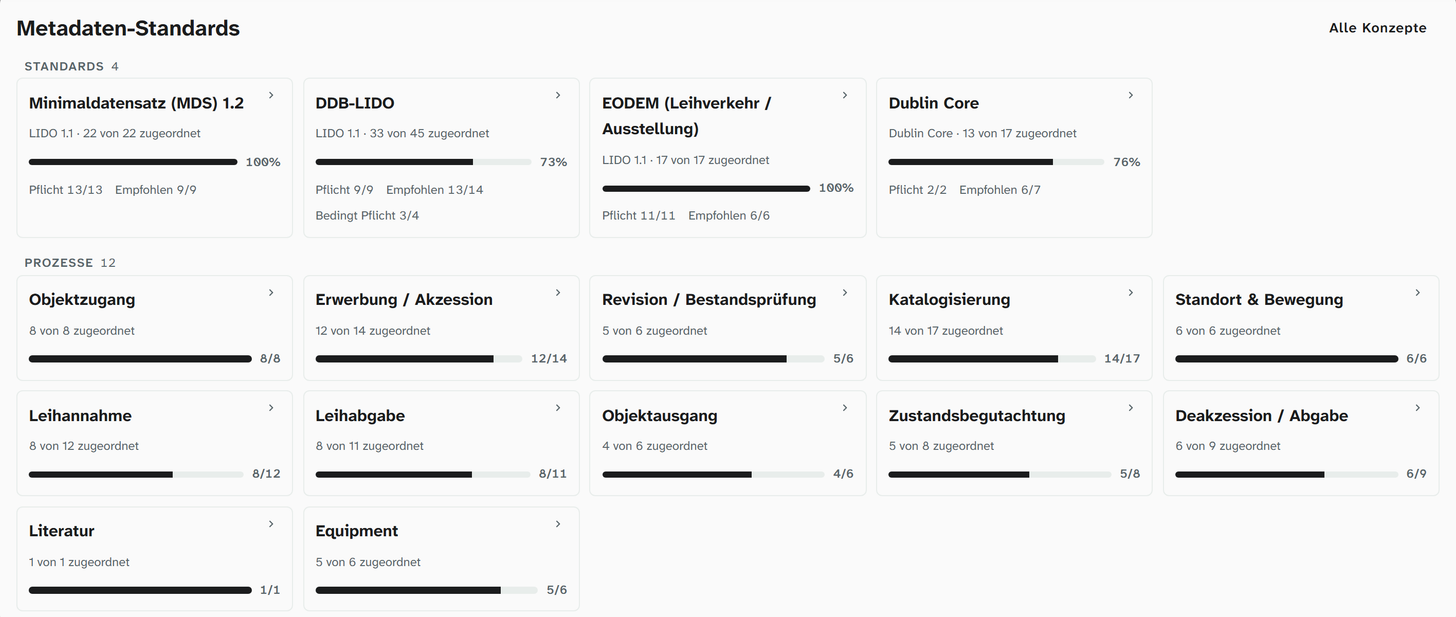
LIDO, Minimaldatensatz, EODEM, Dublin Core
Moliri supports LIDO 1.1 with the profiles DDB-LIDO and Minimaldatensatz 1.2, plus EODEM for loans and Dublin Core. Delivery to the Deutsche Digitale Bibliothek and to museum-digital works without any extra tool. The overview shows how far your institution has got with each standard, and missing fields can be created right there.
There are also templates for the procedures of collections management: object entry, acquisition, cataloguing, location and movement, stocktaking, loans in and loans out, condition checking, object exit, deaccession. Their selection and content follow the established standards of museum documentation. Here too, Moliri shows what is missing and creates it.
In the handbook: Standards and concepts · Binding fields to standards · Collections management
Authority data from more than 20 sources
Each term exists once in the authority data library, with its identifiers from GND, Wikidata or Getty, and is used by as many objects as you like. Correcting a spelling means correcting one entry. Sync with source fetches the current state from GND, Wikidata or Getty without overwriting values you have curated. Two entries for the same term are merged, with both side by side and a trial run beforehand.
Your institution decides which sources are offered. Your own lists, such as an in-house classification, can be searched just like the external sources.
In the handbook: Authority data
Check report and XML preview
Before delivery, Moliri shows which required details are missing and for which objects. Gaps are closed before the Deutsche Digitale Bibliothek reports them back. Moliri then checks the file against the XML schema, in the browser and without the data leaving your institution.
The finished file can be opened in the browser as a readable overview, without having to read XML.
In the handbook: Exporting LIDO
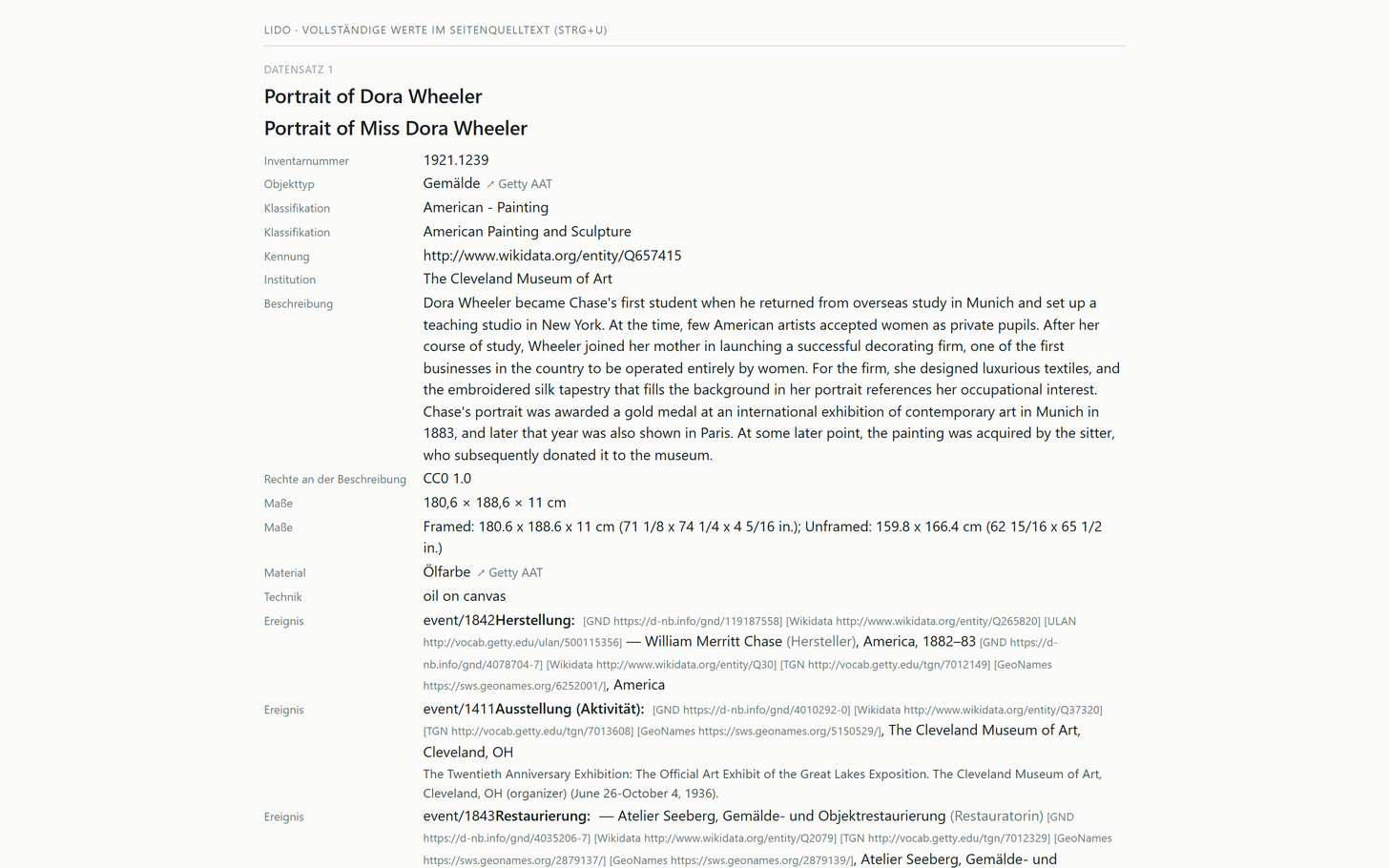
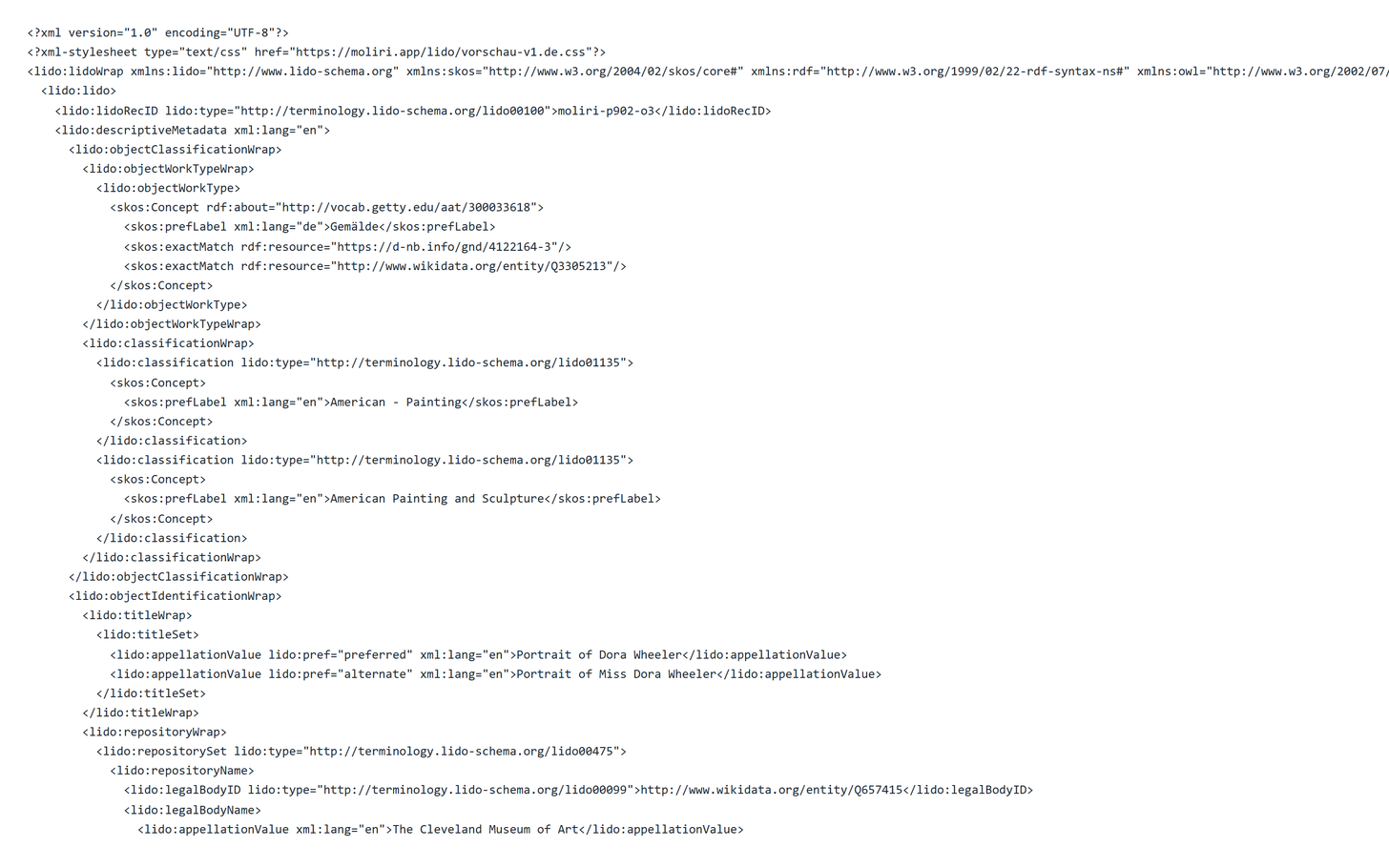
Demo file with five objects from the special exhibition 2026, Minimaldatensatz: View the demo file in the browser · Download XML
IIIF and Linked Data for published objects
Objects that your institution releases to the public get a permanent address. Their images are available via IIIF Image API 3.0 (Level 0), each object has a manifest following IIIF Presentation API 3.0 with its details and hotspots, and each project a collection. A viewer such as Mirador or an online exhibition can then show the images at full resolution, without anyone sending files.
The same objects are available as Linked Data: as JSON-LD following the Linked Art profile, as a full dump and with a feed of changes. Authority data appears with its identifiers from GND, Wikidata or Getty. Contact persons from the address book are never published.
Everything else stays protected: originals and previews of objects that have not been released can only be seen by people who are signed in and allowed to read them.
In the film: IIIF and Linked Data · In the handbook: Sharing
Publication
- ImagesIIIF Image API 3.0, Level 0
- ObjectsIIIF Presentation API 3.0, manifest per object, collection per project
- Linked DataJSON-LD following Linked Art, full dump, change feed
- AddressPermanent per object, under your institution's domain
All features at a glance
- Objects
Find, organise, change
Read more - Data model
Catalogue the way your institution catalogues
Read more - Checks and data care
Keeping the data clean
Read more - Documentation and research
Documents as searchable text
Read more - Conservation
Findings belong to the object
Read more - Files
One file library for all projects
Read more - Exhibitions and loans
From loan request to the finished wall
Read more - Standards and publication
Map once, deliver anywhere
This page - Reports and export
From the database to the document
Read more - Setup and administration
Your institution carries the instance on
Read more
Test it on your own case
Tell us which standards your institution delivers to. In the demo we map a concept to a field of your choice and show the XML that comes out of it.