
Metadata standards
Export LIDO
A delivery to the Deutsche Digitale Bibliothek (DDB) or to museum-digital, or an object list in EODEM for loans. The prerequisite is that the fields are mapped to the concepts of the standard. This is done once in the setup: Bind fields to concepts .
-
Narrow down the object selection. Exactly the current selection is exported.
-
Open the export. Sidebar, Data In- & Export tab, section Export, Metadata standards.
-
Choose the standard or profile:
Profile For Minimaldatensatz (MDS) 1.2 Delivery to the DDB with the minimum required details (minimum data set) DDB-LIDO A more detailed delivery to the DDB EODEM (Leihverkehr / Ausstellung) Object data for a borrower or lender (loans and exhibitions) Dublin Core A simple description in Dublin Core, for example for a repository The card below shows how many of the profile’s concepts are mapped (n of m concepts mapped). Edit mappings takes you to the setup.
-
Export. Moliri loads the objects, checks their content and then checks the finished file against the schema. If both are in order, the file is downloaded straight away. The message states the number of exported objects.
-
Read the check report if it appears. If something is missing, Moliri shows a report instead of the download. You decide: export Only complete (n), Export anyway, or cancel and complete the data first.
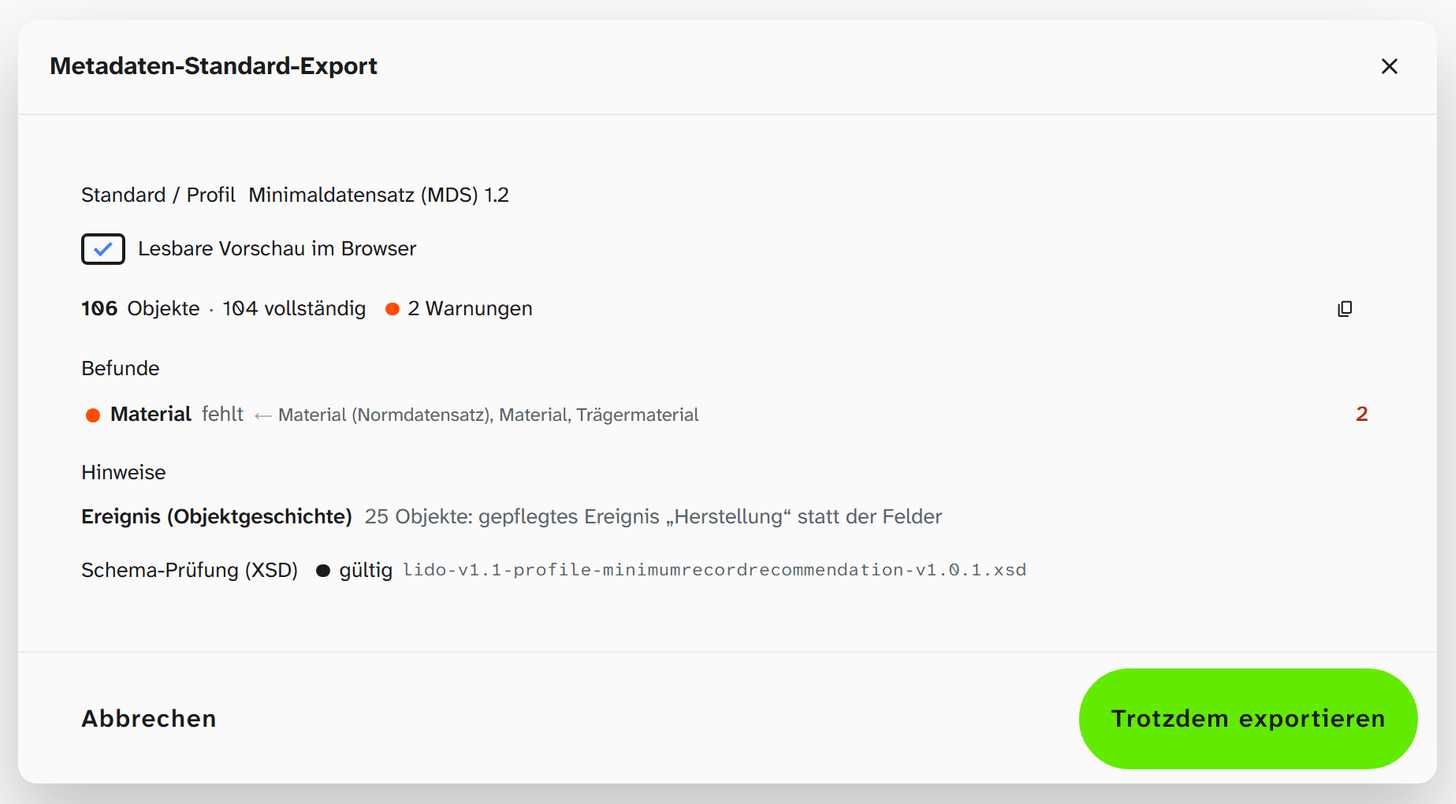
What is checked
| Check | Question | Result |
|---|---|---|
| Content | Is object 238 missing its inventory number? Is a date not in the form YYYY-MM-DD? | Findings with the affected objects. Open object in a new tab takes you straight there |
| Schema check (XSD) | Will the target system accept the file? Order, required elements, data types | valid or invalid · n violations, traced back to the records |
The schema check runs in the browser, against schemas that ship with Moliri: for the Minimaldatensatz against the digiS profile schema, otherwise against LIDO 1.1. The data does not leave your institution for this, and no internet connection to a validation service is needed. Dublin Core has no binding schema, so this step is skipped there.
Copy report puts the check report on the clipboard, for example for a query to the receiving organisation.
Checking beforehand without exporting
Completeness for standard exports on the Check tab shows, for the chosen profile, how many objects of the current filter meet the required details and which concepts are missing in how many objects (missing in n). Clicking a gap filters the objects that lack it. You can then add the values in a targeted way, also with bulk edit .
The Readable preview in the browser switch in the export dialog (default: on) writes a reference to a stylesheet into the file. If you then open the file in a browser, it appears in readable form instead of as raw XML, even when downloaded and opened locally. The stylesheet is on moliri.app; the browser loads it from there as soon as the file is opened. If the file is to be passed on without the reference, switch it off.
What unmapped concepts do
A concept without a field is missing from the result. Moliri invents nothing and sets no placeholders. For a required concept, the check report lists the gap under Not mapped. If you export anyway, you deliver a file that does not meet the profile.
A first delivery to the DDB
-
In the setup, set the fixed values (institution, language, record type, metadata rights) and map the required concepts of the Minimaldatensatz.
-
Check under Check › Completeness for standard exports and close the gaps.
-
Export ten objects and have the file checked by the DDB.
-
Only then add the recommended concepts and export the whole collection.
Ten objects instead of ten thousand: the first run finds the formal errors, and those are better corrected once than after a large export.
Further reading
- Minimaldatensatz : the whole route to a delivery to the DDB
- Bind fields to concepts : the prerequisite
- Metadata standards : profiles and requirement levels
- LIDO : all concepts