
Your cataloguing logic, not ours.
Moliri does not prescribe a list of fields or a workflow. Which fields exist, what they are called, which rules apply and who sees what all follows what your institution actually needs. When something new comes along, the data model grows with it.
We do the setup and the migration of your data. Your institution can carry on building by itself.
One input mask per task
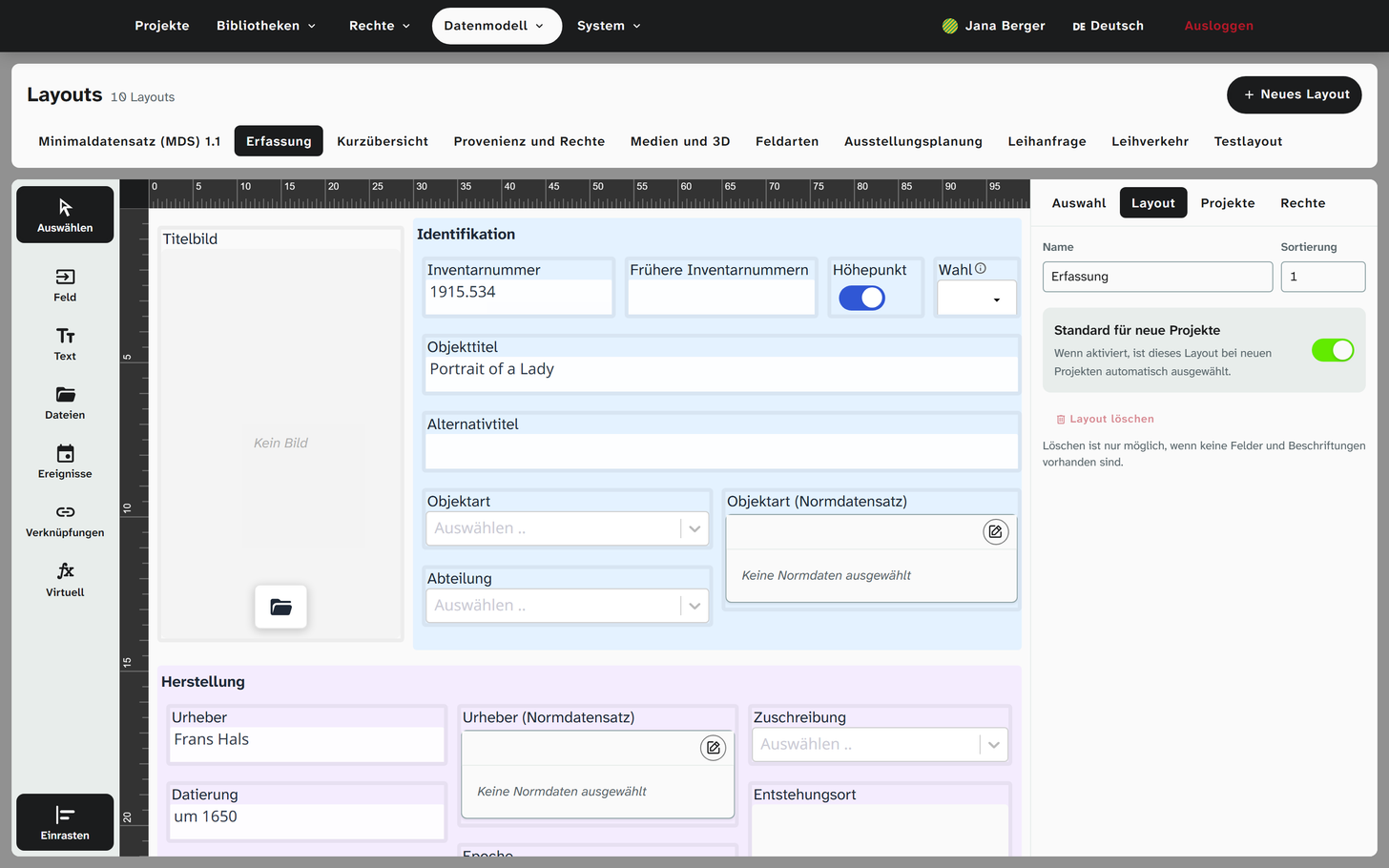
The registrar needs different fields from conservation, and the designers need different ones again. In Moliri, each task gets its own input mask, and they all show the same object. A field can sit on several masks, under a different name and in a different place. The value is the same everywhere.
When a mask is rebuilt, the data stays. A field on the mask can be tied to a condition and only appears when it is met, such as the loan fields only for loans. Help texts on the field make sure that changing teams still catalogue consistently.
In the handbook: Building an input mask
From text field to 3D model
Your institution creates fields itself and tries them out before they go onto a mask. An authority data field draws on the shared authority data library, an address field on the address book, an object field on another object, and a number knows its unit. Whether an area manages with three fields or needs twenty is your decision.
In the handbook: Field types
One object, several projects, no copies
A painting that belongs to the holdings, hangs in a special exhibition and is requested for a loan at the same time is a single record in Moliri. Whoever corrects its dimensions corrects them everywhere.
A detail that applies to one project only, such as a catalogue number, is kept only there. A field's value lists, rules and authority data sources can also differ per project, and a field can store its values entirely within the project.
In the handbook: Projects and project-specific values

Linking objects to each other
A sheet belongs to a portfolio, a sculpture is a copy after an original, two portraits are pendants, a work is illustrated in a catalogue. Moliri records relationships like these as a link between two records, with its type and readable in both directions.
Your institution decides which types exist. The process templates bring a basic set, and an object field shows the linked object right in the input mask.
In the same way, people and terms from the authority data or lenders from the address book are attached to the object, each link with its own details, such as the page in the catalogue. Search finds an object through its links, and in a batch you attach the same catalogue to all works in a list.
In the handbook: Links on the object
Link types, for example
- part ofhas part
- belongs to portfoliocomprises
- copy aftermodel for
- pendant topendant to
- illustrated inillustrates
Warn rather than block
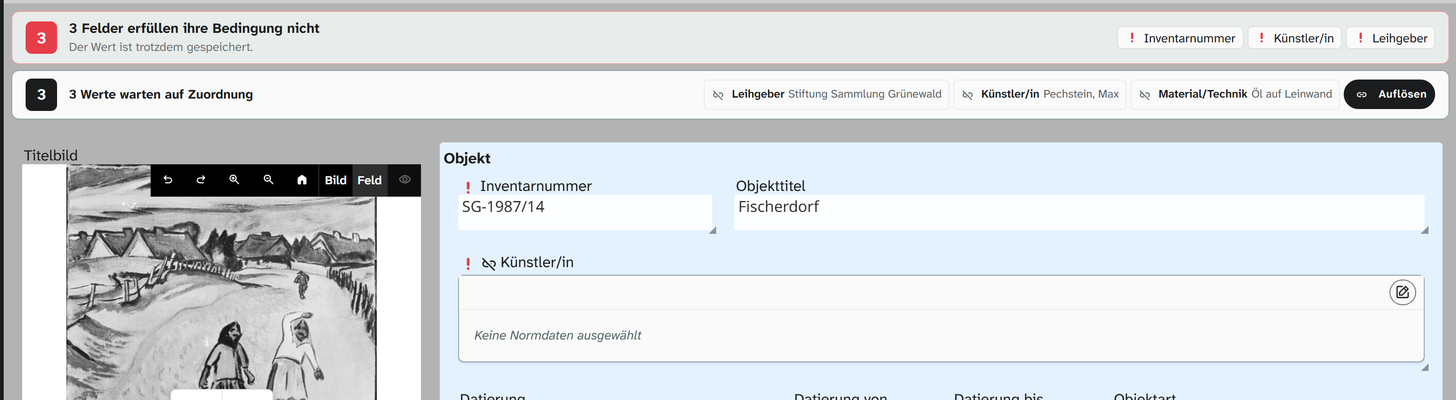
Your institution sets rules, such as required fields or unique inventory numbers. If a value breaks a rule, Moliri saves it anyway and marks it. That way nothing is lost shortly before an opening, and you can look for the gaps specifically later on.
Moliri compares unique values generously: “GM 1234” and “gm 1234”, or “Müller” and “Mueller”, count as the same value. For fields where every character matters, you can switch on strict comparison.
The Check area lists every value that breaks a rule. Doubts about a value are noted at the field instead of guessed.
Values from other fields
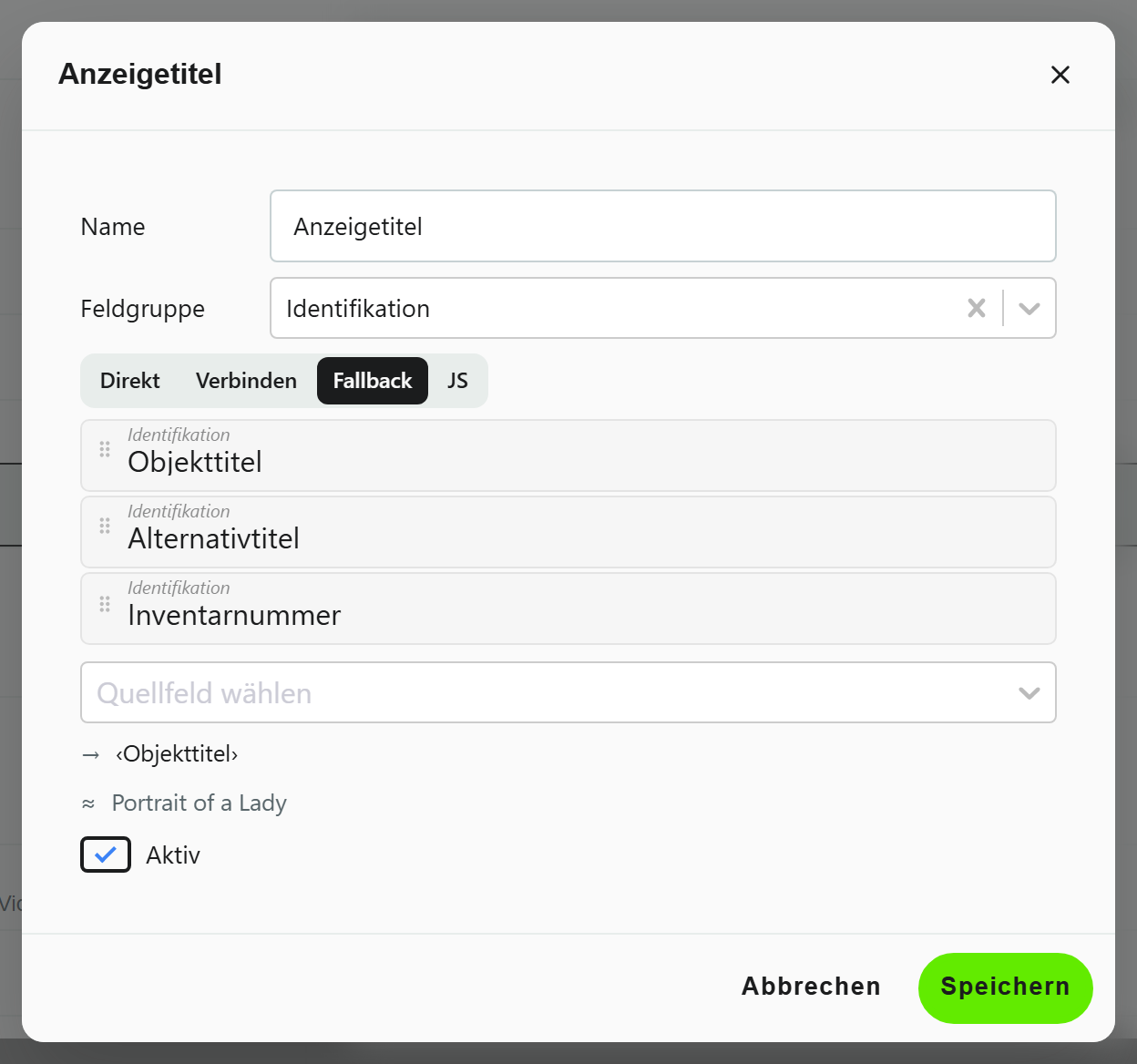
A date range from start and end, a title that falls back on the alternative title, a dimension from three numbers: virtual fields calculate values from other fields, so nobody has to maintain them twice. In views, exports and templates they behave like any other field, and you can filter, sort and search by them too.
In the handbook: Creating a virtual field
Workflows that grow with you
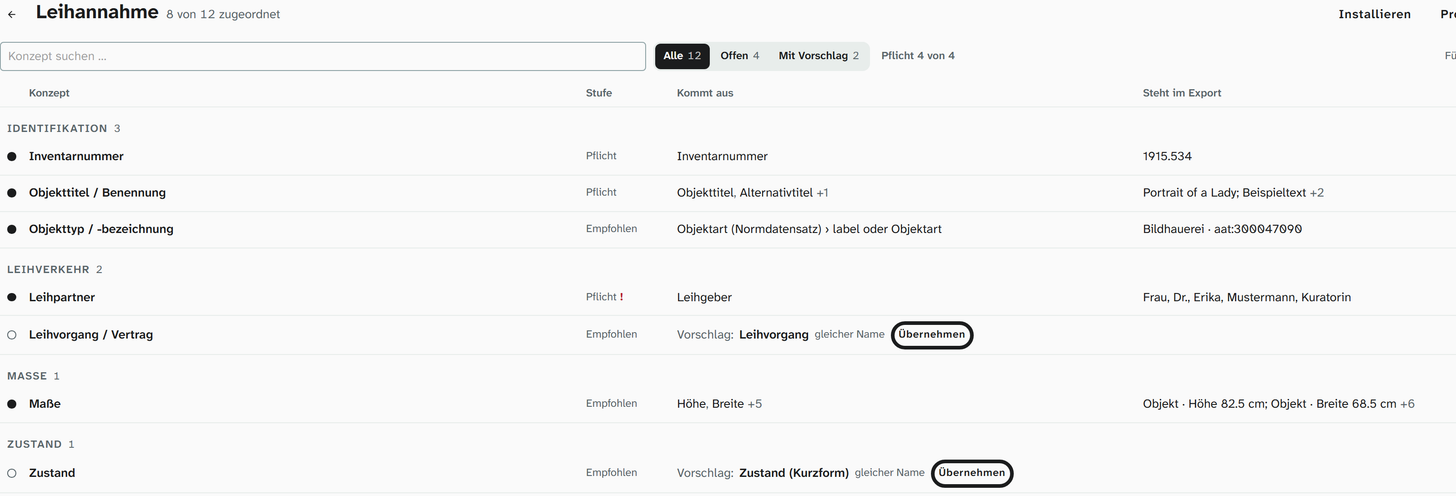
Moliri maps a store, a conservation file or a stocktake with fields, masks and rules, tailored to your institution. Templates for the procedures of collections management show what a procedure needs and create what is missing: object entry, acquisition, cataloguing, location and movement, stocktaking, loans in and loans out, condition checking, object exit, deaccession. Their selection and content follow the established standards of museum documentation.
From the same building blocks you get a database for exhibitions and loans, a collection documentation or both, without existing data having to move.
All features at a glance
- Objects
Find, organise, change
Read more - Data model
Catalogue the way your institution catalogues
This page - Checks and data care
Keeping the data clean
Read more - Documentation and research
Documents as searchable text
Read more - Conservation
Findings belong to the object
Read more - Files
One file library for all projects
Read more - Exhibitions and loans
From loan request to the finished wall
Read more - Standards and publication
Map once, deliver anywhere
Read more - Reports and export
From the database to the document
Read more - Setup and administration
Your institution carries the instance on
Read more
Bring your field list
Send us the way you catalogue today, as an Excel file or an extract from your old system. In the demo you see your own fields in an input mask, not our sample museum.