
From loan request to the finished wall.
In Moliri, an exhibition is a project, and so is a loan request. Registrars, curators, conservators and designers all work on the same objects in it, each with what they need for their work.
We set up the exhibition project with your fields and input masks.
Exhibition, loan request and holdings
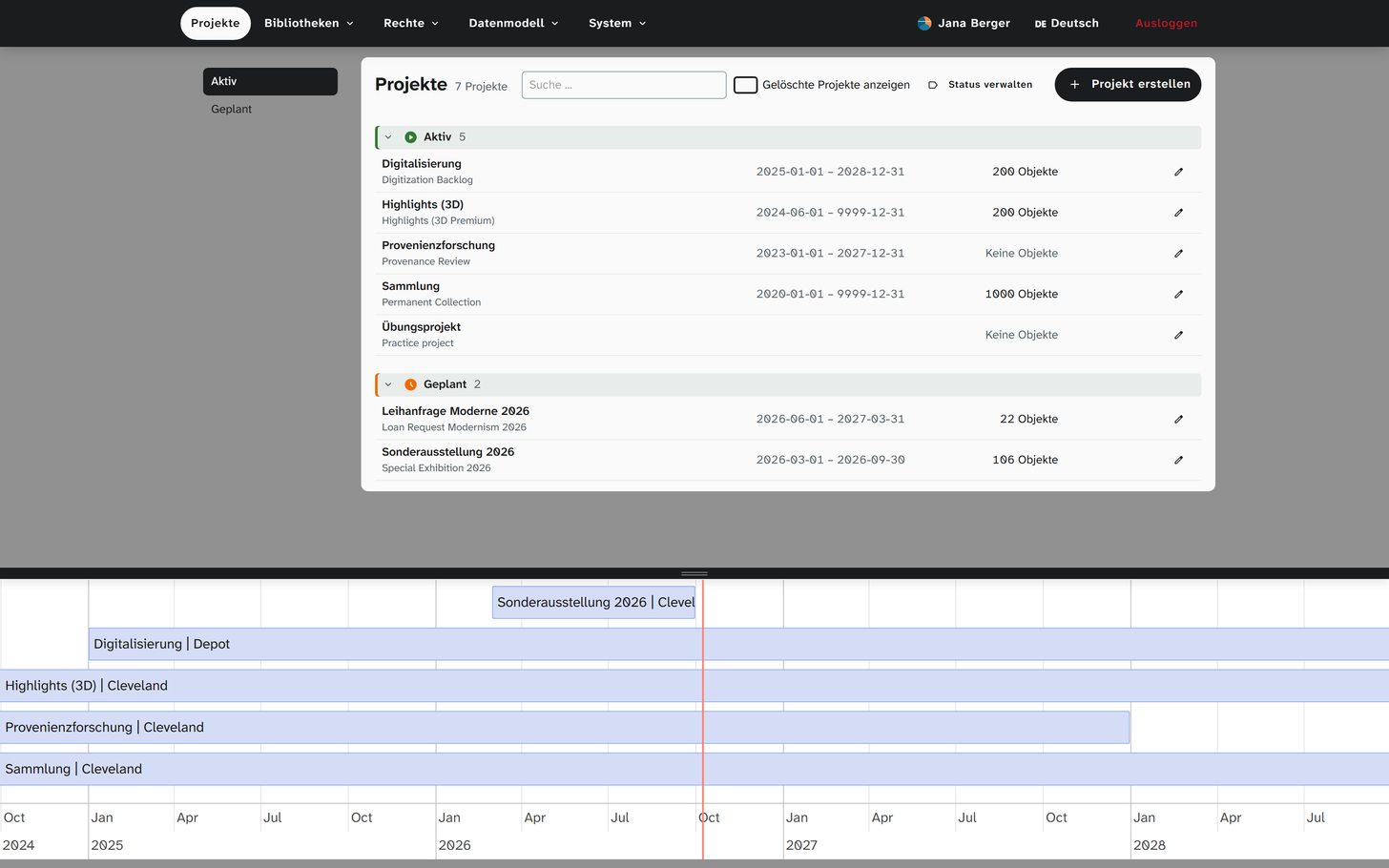
Each exhibition and each loan request is a workspace of its own, with a run time, a venue and a status. On the timeline you see which projects run at the same time.
An object from the holdings is linked to the exhibition, not copied. Whatever applies to this exhibition only is kept only there. Loans can stay entirely within the exhibition project and do not appear in your own holdings.
Lender lists from Excel
Lenders send Excel lists. Moliri takes them over, images included, maps the columns to your fields and shows you before the start what will happen. A later delivery adds to the existing objects instead of creating duplicates. If an object is already in another project, the import offers to link it rather than create it anew.
A value that cannot be matched clearly is not simply written into a field. Moliri parks it, to be resolved later, whether it is a name, an address or a reference to another object. If a row breaks one of your institution's rules, it is still taken over and listed in the import report.
Decide once per term
Moliri collects the parked values of a delivery, sorts them by frequency and suggests matches from more than 20 authority data sources, among them GND, Wikidata and Getty. If several sources refer to the same person, that person appears as one match: Ernst Ludwig Kirchner comes with GND, Wikidata and ULAN at once. Material and technique are resolved in the same pass. A person has to confirm.
Once something has an identifier, the next delivery recognises it. Older holdings can be resolved the same way after the fact.
In the handbook: Excel import · Resolving references
The way your institution manages them
Moliri has no predefined workflow for loans. Some institutions manage with three fields for status and loan period, others record insurance, courier and climate in twenty. Others again record each loan as an event with its parties, to which all objects of the loan are attached.
Lenders, insurers and shipping agents are entered once in the address book and selected from there. Whatever is recorded as an event goes into the export to LIDO and EODEM.
In the handbook: Events · Address book
Status and dates in view
Any select field can become a kanban, any date field a calendar. A board by loan status shows what has been agreed, and moving a card changes the value. The calendar shows loan periods, transports or installation dates and can be added to your own calendar as an .ics file.
Loan agreements and object lists from the data
Loan agreements, object lists and condition reports are created from Word templates, filled with the data and images of the selected objects. Lists for lenders and insurers go out as an Excel file and come back with additions. For exchange with other institutions, Moliri outputs EODEM.
The hang knows the dimensions
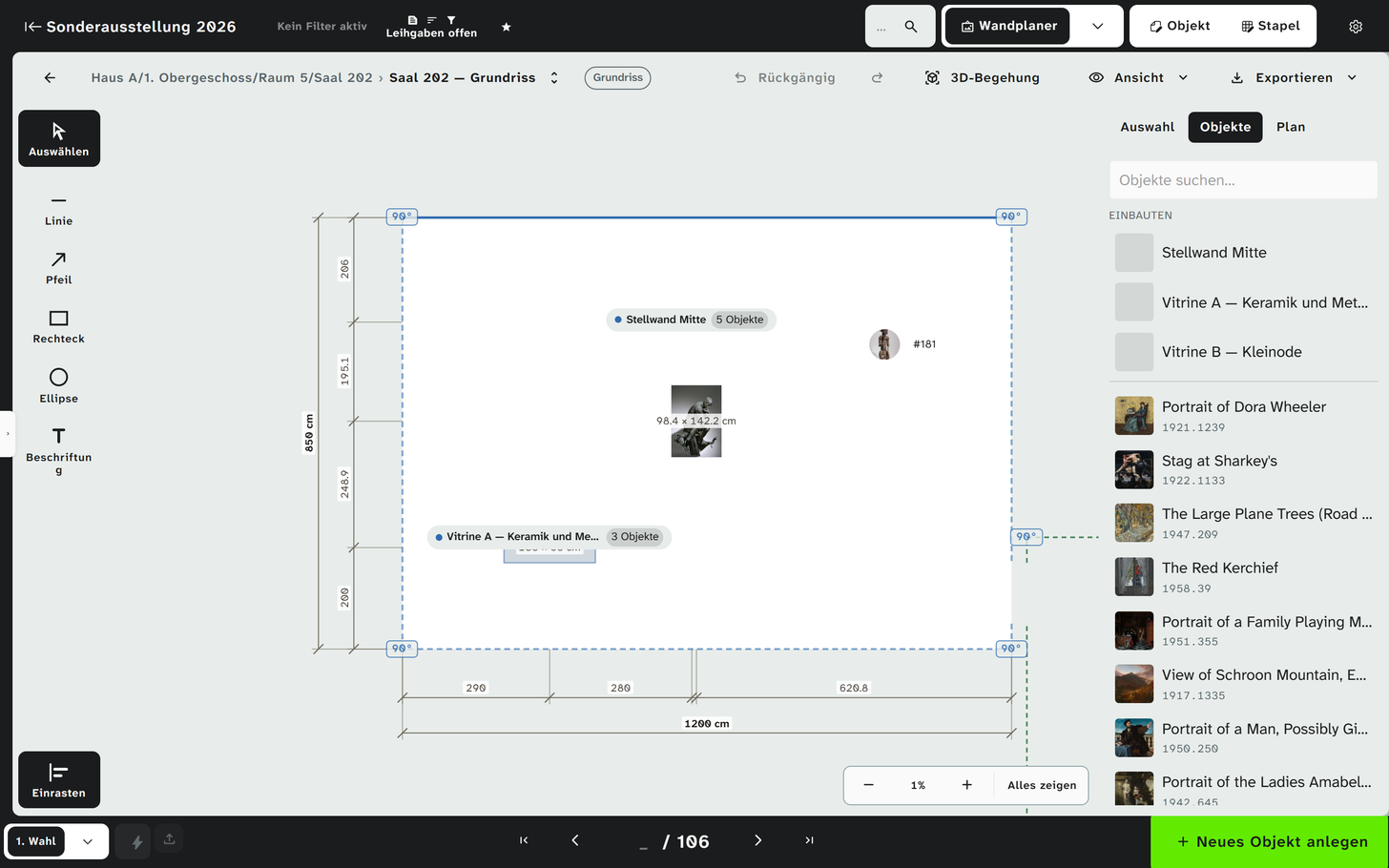
In the wall planner, the objects of the exhibition hang on walls drawn to scale, with their recorded dimensions. If a dimension changes in the catalogue record, the plan is right as well. Showcases and partition walls are added in the floor plan, and from all of it together comes a room you can walk through in 3D.
Your institution's rooms are kept once in the plan library, and each exhibition plans its own hang on them. Every step can be undone and redone. The workshop and the installation team get the walls as a PDF to scale.
In the handbook: The wall planner step by step
All features at a glance
- Objects
Find, organise, change
Read more - Data model
Catalogue the way your institution catalogues
Read more - Checks and data care
Keeping the data clean
Read more - Documentation and research
Documents as searchable text
Read more - Conservation
Findings belong to the object
Read more - Files
One file library for all projects
Read more - Exhibitions and loans
From loan request to the finished wall
This page - Standards and publication
Map once, deliver anywhere
Read more - Reports and export
From the database to the document
Read more - Setup and administration
Your institution carries the instance on
Read more
Plan your next exhibition in it
We set up an exhibition project with your objects and show you the way from the lender list through the loan agreement to the hang.