
Libraries
Maintain authority data
The same artist is spelt differently in five lenders’ lists. An authority record turns this into one entry with identifiers, for example from the Gemeinsame Normdatei (GND, the German integrated authority file) and Wikidata. Every object that uses it shows the same name, and grouping and export work with the record instead of with spellings.
From an authority data field
-
Click into the field. The dialog opens on the Search tab.
-
Enter the name. On the left are the entries that already exist in Moliri, on the right the matches from the sources. Which sources are queried is set up on the field, usually GND and Wikidata. In the row of chips above the matches you can switch further sources on and off, for example the vocabularies of the Getty Research Institute (Getty AAT, ULAN, TGN), Iconclass, GeoNames or the Objektbezeichnungsdatei (the German object name thesaurus). Which of them a field offers is decided in the setup.
-
Choose a match. An existing entry is assigned at once. A match from a source opens a draft in which you check the details: Create & assign, or for a record that already exists Assign or Update & assign.
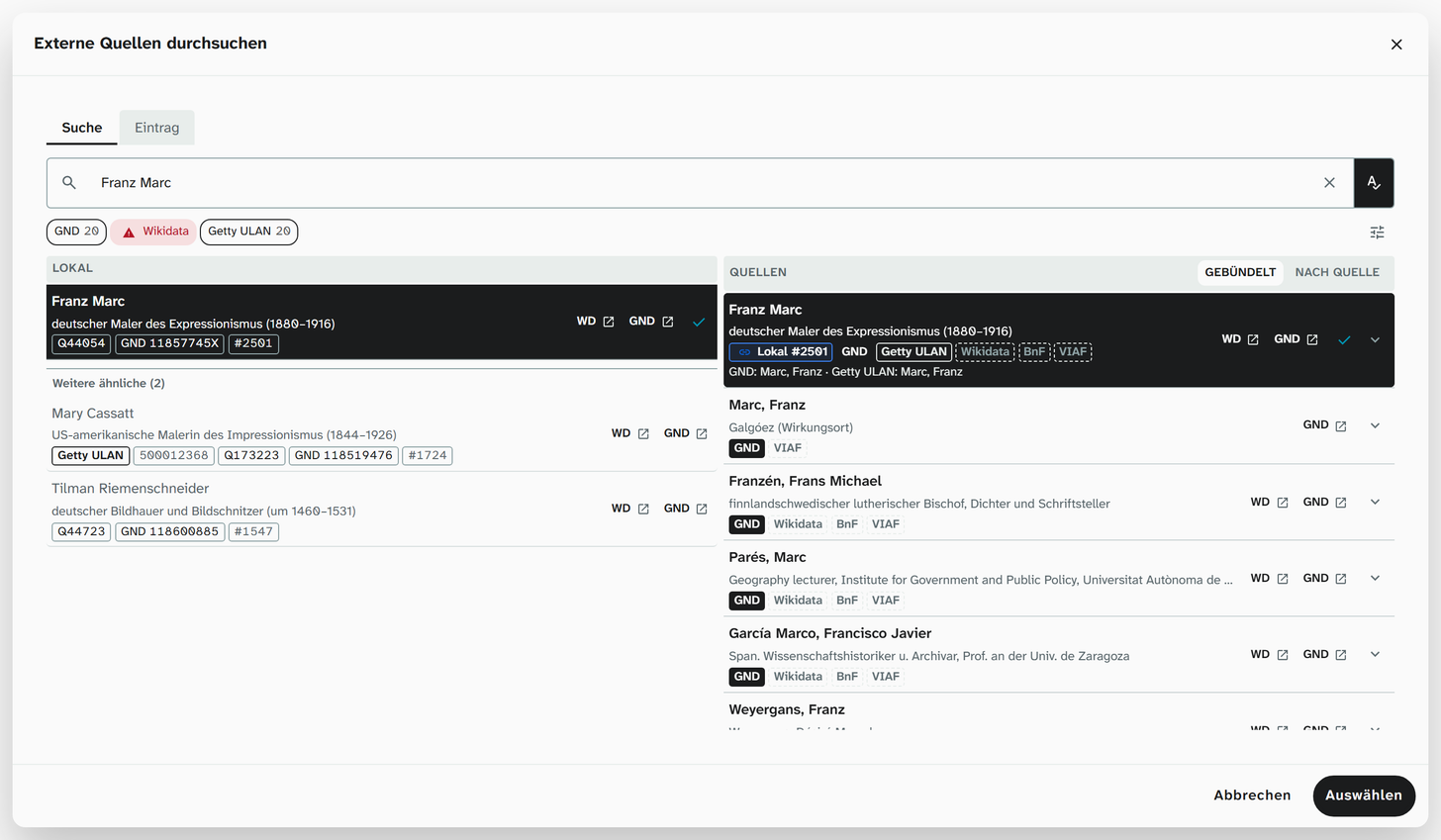
If several sources hold the same person, they appear as one bundled match that brings all the identifiers along. Bundling works through identifiers that confirm each other, not through identical names.
Creating without a source
Not everything is in an authority file: local people, your institution’s own classification terms, previous owners from an estate. For these there is Create without a source. The name is enough; identifiers and a description can be added later.
The filter Incomplete (ID missing) in the authority data library finds such entries again. It is the work list for when an authority record does turn up later.
Syncing with the source
Name forms and descriptions change at the source. Any record that comes from a source can be synced, whether GND, Wikidata, Getty or another:
-
Open the record, in the library under Libraries › Authority data or in an object’s authority data field on the Entry tab.
-
Sync with source. The sync runs in the background; after a short while the result appears on the record under Last sync.
-
If maintained values differ from the source, tick the ones you want, click Apply selection and save the record.
The sync never overwrites maintained values on its own; it fills empty details from the source. If everything matches, it reports All fields already match the source. If it reports Duplicate, another record already holds the same identifier. What the other notes mean is explained under Sync with the source .
Merging duplicates
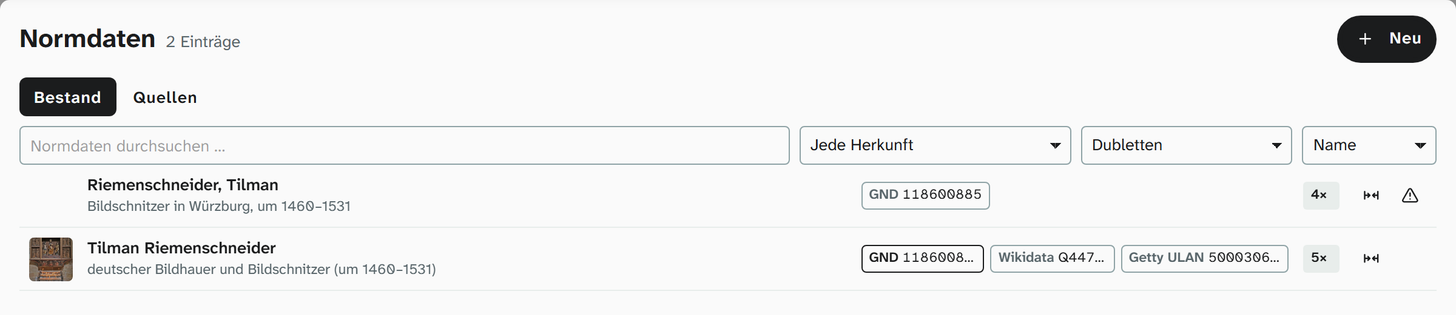
If the same person is in the library twice, the two records point to different objects, and a grouping splits in two. Merging turns them into one. In the library (status 6):
-
In the selection above the list, choose Duplicates. The list shows the pairs the sync has detected.
-
Click the merge icon on the right of a row. The comparison puts both records side by side.
-
Under Which record remains? choose the record that is to stay. The other one is in the Will be removed column and is deleted.
-
Adjust the details of the remaining record if needed; the arrow takes over a value from the record being removed, and appends synonyms and comments.
-
Merge. The confirmation states how many objects, field values, events and links are moved over, and which identifiers disappear with the deleted record. Only Merge in this confirmation carries out the step.
The step applies to the whole instance and cannot be undone. The identifiers of the deleted record stay on the remaining one as cross-references. Similar spellings without a shared identifier are found by Check › Similar values, Authority data tab; from there you reach the same comparison.
Where the effort pays off
| Field | Why |
|---|---|
| Artists and other people involved | The most reliable grouping. Standards such as LIDO expect an identifier |
| Object name, material, technique | Concepts of the standards that expect authority data |
| Keyword | Search and grouping without spelling variants |
| Location | Identifier plus coordinates |
For details with no connection to a standard it is often not worth it. A select list is enough there.
If a concept that expects an authority record is mapped to a text field, the export contains only the name and no identifier. The delivery succeeds, but a portal cannot link the record with others.
You can resolve many names at once after an import under Resolve references .
Further reading
- Authority data : details, sources, filters, sync, merging
- Authority record : the field type
- LIDO : which concepts expect identifiers