
Libraries
Maintain locations
A geolocation field points to a location in the location library, such as the place where an object was made or where a loan is kept. The coordinates produce a map preview.
From a geolocation field
-
Click into the field. The Select location dialog has two tabs: Search and Entry with a map and address fields. If the field is empty, it opens on Search; if it already holds a location, on Entry.
-
Search, with at least three characters. The search runs through Nominatim (OpenStreetMap).
-
Take over a match. The coordinates and the individual parts of the address come along with it.
If a location with the same coordinates already exists, Moliri assigns that one and says so (A location with these coordinates already existed and has been assigned.).
Locations no search service knows
A storage location, a room in your own building or a find spot is not on OpenStreetMap. In that case, enter the details by hand:
| Detail | Example |
|---|---|
| Latitude, longitude | Decimal, or as degrees, minutes, seconds |
| Remark | Depot Süd, shelf 12 |
The address fields may stay empty. They do not depend on the coordinates.
Tidying up
Under Libraries › Locations (status 9) two filters serve as work lists:
| Filter | What to do |
|---|---|
| Without coordinates | These locations have no map preview. Add coordinates |
| Coordinates only | These locations lack a readable name. Add an address or a remark |
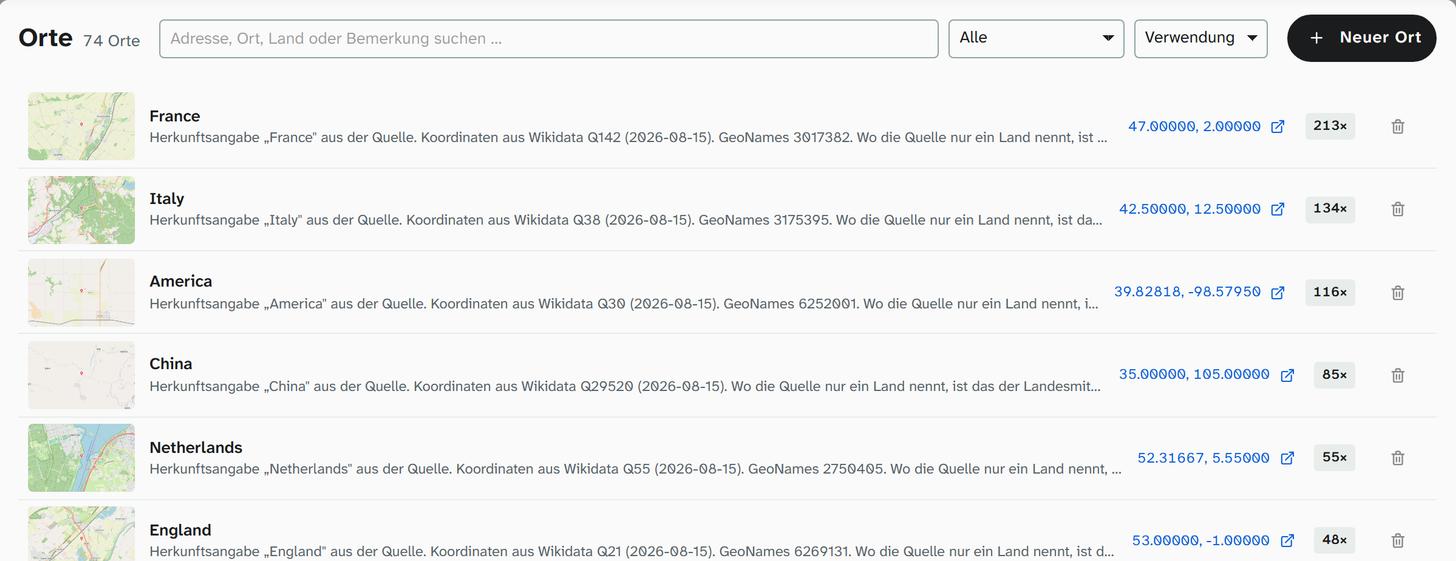
As long as a field points to the location, Moliri refuses to delete it (Still in use and cannot be deleted). A geolocation field without its location would lose not only the name but also its map preview.
Setting the map preview
The section shown in the preview is set by the zoom level on the field, not on the location. You set it in the field configuration .
Further reading
- Locations : all details
- Geolocation : the field type