
Field types
Select list
A choice from a given list. Depending on the setup, one value or several; with several values it also works as a keyword field.
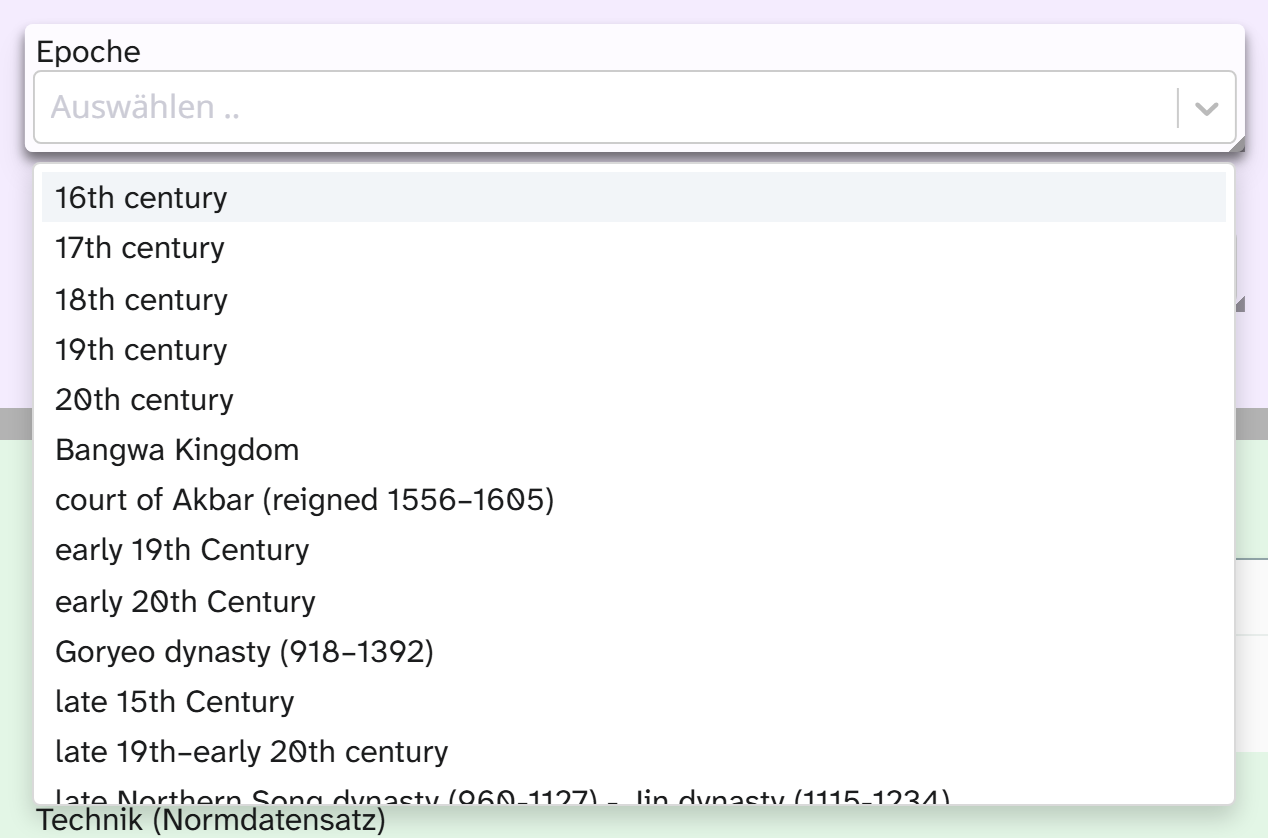
Input
Click into the field and the list opens. Typing filters the list, and the search is fuzzy: a few letters from the word are enough. A click takes over the value and saves it.
With multiple selection, the chosen values appear as tags in the field. You can remove each tag on its own and change the order by dragging. The cross on the field clears the whole selection, unless the administration has switched that off.
Whether you may create your own values is decided by the administration. If it is allowed, the list offers to create a new term as you type it. If not, you can only choose from the list. Some lists also show values this field already has on other objects.
What is stored
The chosen text. With multiple selection the values are joined into one string, separated by a comma and a space:
Landschaft, Bildnis
This has consequences for working with the field:
| Action | Behaviour |
|---|---|
| Filter | Works on the string. Contains Bildnis finds all objects with this value; equals Bildnis only those where it is the only value |
| Grouping | Groups by the combination. Split grouping with the separator , groups by single value. See Sort and group |
| Kanban | Columns from the values, moving a card changes the value. With multiple selection a card lands in the column of the combination |
| Sorting | Alphabetical by the stored text |
| Full-text search | Yes |
| Bulk edit | All text tools |
A value that itself contains a comma is no problem with single selection. With multiple selection it cannot be cleanly separated from its neighbours.
Excel import
The import only takes over values that are in the list. Differences in upper and lower case and superfluous spaces are evened out. Everything else is not written but parked and marked “to resolve”. With multiple selection the whole cell counts as one unit: if one part does not match, the whole cell is parked. See Resolve references .
Display and export
| Formatting | Result |
|---|---|
| Raw value | Landschaft, Bildnis |
| Separated by a middle dot | Landschaft · Bildnis |
The formatting helps when values themselves contain commas (Öl auf Leinwand, doubliert). You choose it in the view settings or in the Excel export . Templates can reach both forms, see Output formatters in templates .
Setup
The list, multiple selection and your own values are set by the administration. See Configuring the select list .