
Field types
Object
A field that points to another object: the group of objects a sheet belongs to, the original of a copy, the catalogue in which a painting is illustrated. Behind the field there is a link type such as “gehört zu Konvolut” (belongs to group) or “dokumentiert in” (documented in), shown as a chip at the top of the field. The counterpart appears on the target object, there for example as “umfasst” (comprises).
Input
The Select object button (pencil icon) opens the selection dialog. The search is at the top, below it the hits with inventory number, title and object type. A click puts the object into the field. The field then shows title and inventory number of the target; Clear (×) removes the reference again, and the target object remains.
If the link type is restricted to certain object types, as “dokumentiert in” is to literature, the list first shows only those. The Show all object types icon next to the search lifts the restriction. Which project is searched is set on the field by the administration.
Without write access to the field, the button is called Show object, and the reference cannot be changed.
To the target object
Once an object is set, the head of the field shows the Open target object button. It takes you to the target, in the project where it is kept.
The button is only there if you have read access to the target object. Without read access the field shows only the record number (#1234) instead of the title, with the note No read access to the target object or target project. The reference stays stored all the same.
Literature: New from reference
If the field points to a literature project , the selection dialog also has the New from reference button. As in the literature project, it searches by ISBN, DOI or title in the Deutsche Nationalbibliothek, K10plus, Crossref and Wikidata and creates the literature record in the literature project. The record is then in the field straight away. The object you are working on stays open.
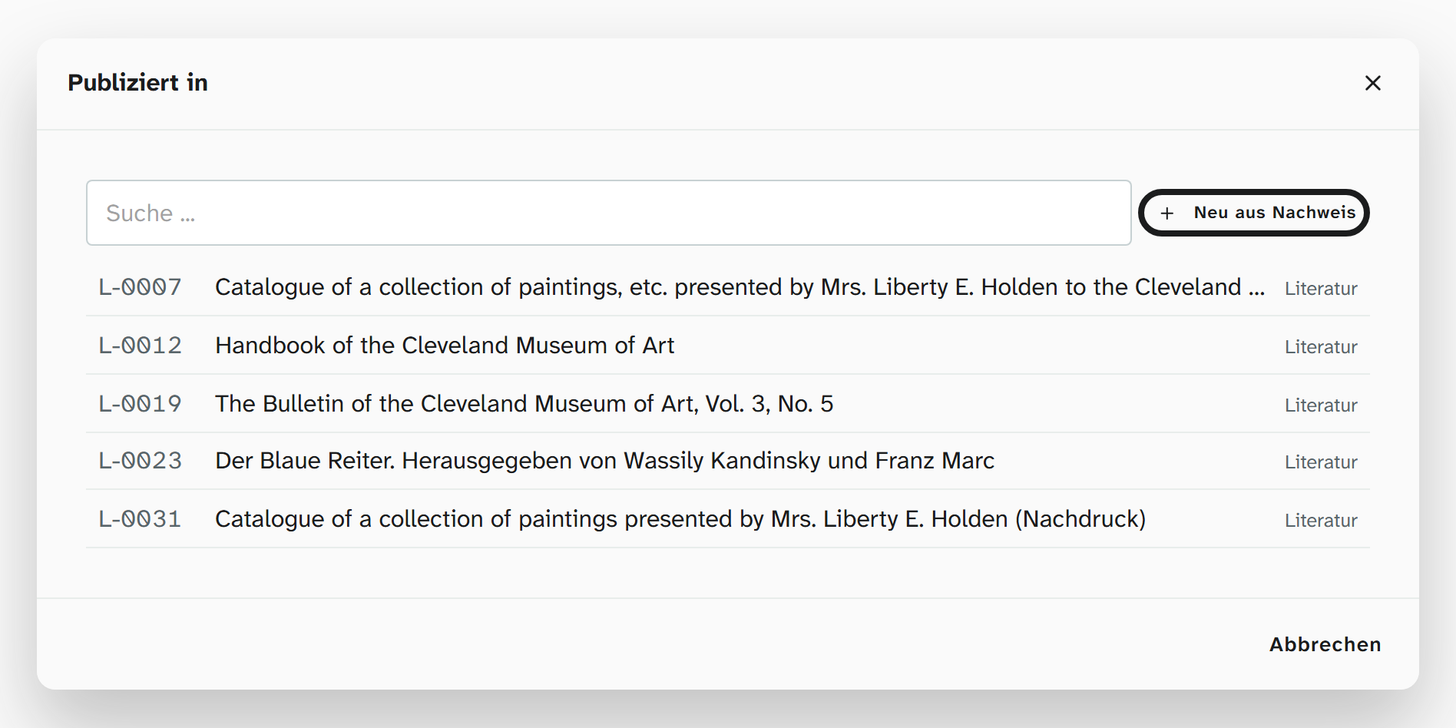
The button is there if you may create objects in the literature project and write the field “Identität” (identity) there. Otherwise it is missing, and the dialog offers only the existing literature.
If the title is already in the literature project, the main button reads Use ⟨inventory number⟩. It puts the existing record into the field instead of creating a second one. Create anyway is next to it.
Display and export
Fields that point to literature have two formattings that cite:
| Formatting | Result |
|---|---|
| Short citation | The short citation in the citation style, for example (Meier 2001) |
| Full citation | The complete entry as in the bibliography |
Which style applies and where to choose it is described under Citation style . Without the citation service both show only the title.