
Field types
Time
A time of day, chosen on a clock face or typed. For opening hours, delivery times, running times.
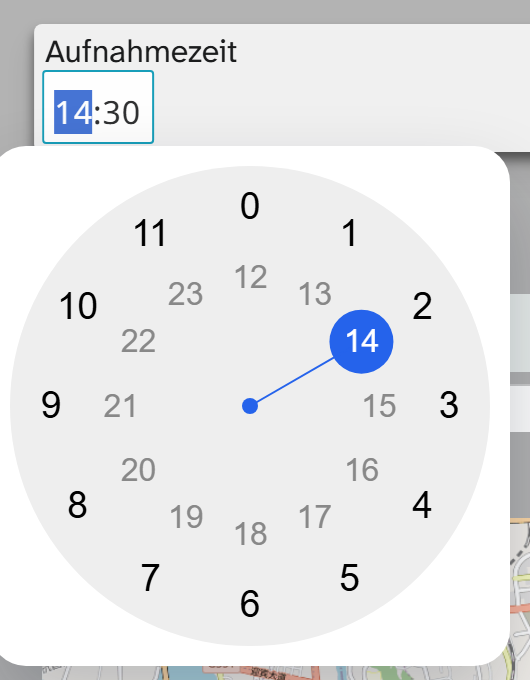
Input
Click into the field and the clock face opens. Choose hour and minute there or type the time. The administration can set the step size, for example quarter hours, as well as an earliest and a latest value. Whether seconds are recorded also depends on the setup.
Without write permission on the field it is locked and only shows the value.
What is stored
Always HH:MM:SS, even if the field only shows hours and minutes.
| Action | Behaviour |
|---|---|
| Filter | Comparisons on HH:MM:SS |
| Sorting | Chronological within the day |
| Grouping | Split by : with depth 1 gives hours |
| Full-text search | Yes |
| Bulk edit | Set, shift, replace, clear |
A time of day is not a point in time. It has no date and no time zone, and the calendar view places nothing by it. For a point in time there is Date and time . If date and time are in two separate fields, nothing sorts chronologically across several days any more.
Display and export
Gallery, table and object view leave out :00 seconds. The export, however, contains the full value,
for example 14:30:00. The formatting Time HH:MM shortens it to 14:30. Here 00:00:00 means
midnight and is kept. See Excel export and, for templates, Output formatters in templates .
Setup
Format and step size are set by the administration. See Configuring time .