
Field types
Time
Field type time. It is stored as HH:MM:SS, however many positions the field shows. Data entry from
the cataloguer’s side is described under Time .
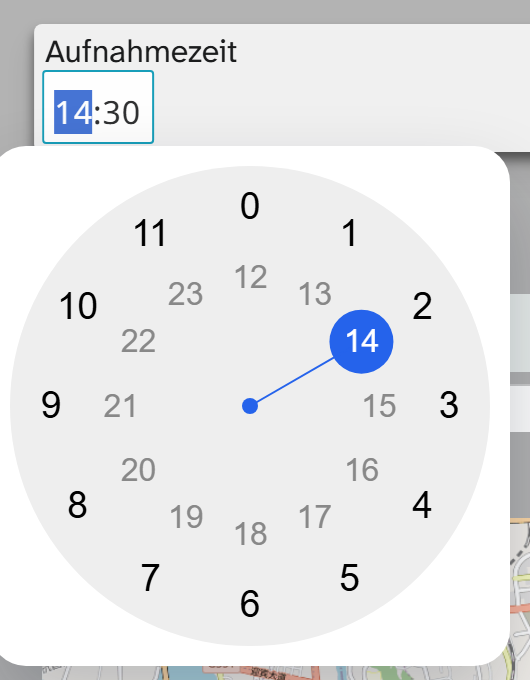
Parameters
| Key | Values | If omitted | Effect |
|---|---|---|---|
format | Format pattern | HH:mm | Positions shown. HH:mm:ss shows seconds too |
precision | Step size | 00:01 | Smallest step that can be chosen, for example 00:15 for quarter hours |
minimum | Time | 00:00:00 | Earliest value that can be chosen |
maximum | Time | 23:59:59 | Latest value that can be chosen |
separator | Character | : | Separator in the display |
use_plus_sign | true, false | false | Shows a sign, for time spans |
required | true, false | false | Requires an entry |
disabled | true, false | follows write permission | Field is display only |
autosize | true, false | false | Width follows the content |
vibrate | true, false | true | Short feedback on devices that can vibrate |
animationDuration | Milliseconds | 300 | Duration of the fade in and out |
accent_color | Colour | empty | Accent colour of the selection |
popupSize | CSS size | empty | Size of the clock face |
cssVars | Object | empty | Further CSS variables for the clock face |
A field for opening hours, in quarter hours between 8 am and 8 pm:
JSON{
  "format": "HH:mm",
  "precision": "00:15",
  "minimum": "08:00:00",
  "maximum": "20:00:00"
}
Permissions
Without write permission on the field, input is locked. disabled: true turns the field into a pure
display for everyone, including people with write permission.
Formatting
The field type comes with Time HH:MM. It leaves out :00 seconds and is not preselected anywhere: the
views shorten the time anyway, and the export would change without notice. See Formatting .
When another field type fits
For date and time together: Date and time .
A point in time belongs in one value; otherwise sorting “by point in time” puts all times of the first day
before the second day. If the point in time belongs to a procedure, an event is the better place. use_plus_sign allows a sign, but it does
not turn the field into a duration with a start and an end.