
Field types
Date and time
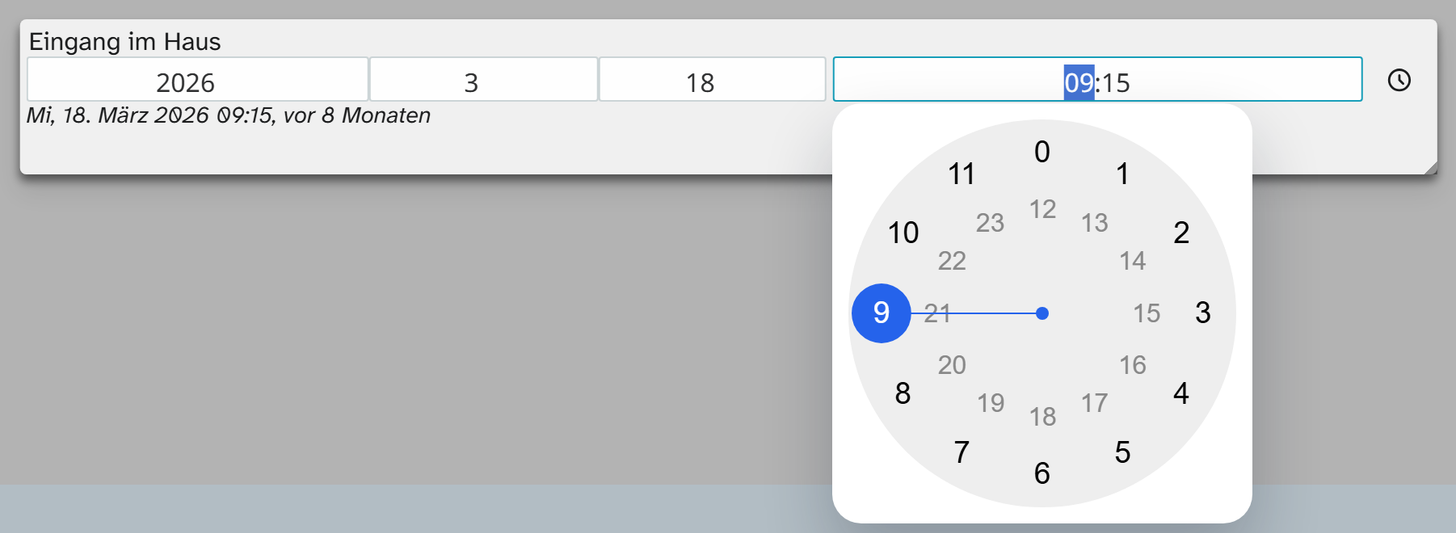
Field type datetime. A timestamp, stored as YYYY-MM-DD HH:MM:SS. The controls are borrowed: the
calendar from date, the clock face from time, and with them their keys. Data entry from the
cataloguer’s side is described under Date and time .
Parameters
| Key | Values | If omitted | Effect |
|---|---|---|---|
year | true, false | true | Show and edit the year |
month | true, false | true | Show and edit the month |
day | true, false | true | Show and edit the day |
calendar.lang | Language code, for example de-DE | interface language | Language of the month and weekday names |
time | true, false | true | Record the time. Off: the clock face is dropped and the time stays 00:00:00 |
format | Format pattern | HH:mm | Positions on the clock face. HH:mm:ss records seconds |
precision | Step size | 00:01 | Smallest step, for example 00:15 |
minimum | Time | 00:00:00 | Earliest value that can be chosen |
maximum | Time | 23:59:59 | Latest value that can be chosen |
separator | Character | : | Separator in the time display |
open_time_picker | true, false | true | Opens the clock face after the date has been chosen |
show_now | true, false | true | Button that enters the current moment and saves it at once |
show_relative | true, false | false | Shows the distance from now next to it, for example “3 hours ago” |
autosize | true, false | false | Width of the clock face follows the content |
accent_color | Colour | empty | Accent colour of the clock face |
A click in the calendar always sets year, month and day. Partial dates come about only by typing, and only
by cutting parts off from the end. If you mostly record partial dates, use date.
Formatting
The field type comes with Timestamp DD.MM.YYYY HH:MM. It shortens partial dates and leaves out 00:00:00. It is deliberately not preselected anywhere: the views follow each person’s own setting. See Formatting .