
Setup: guides
Create a group
A group is a bundle of accounts through which permissions are granted. It has no status of its own.
-
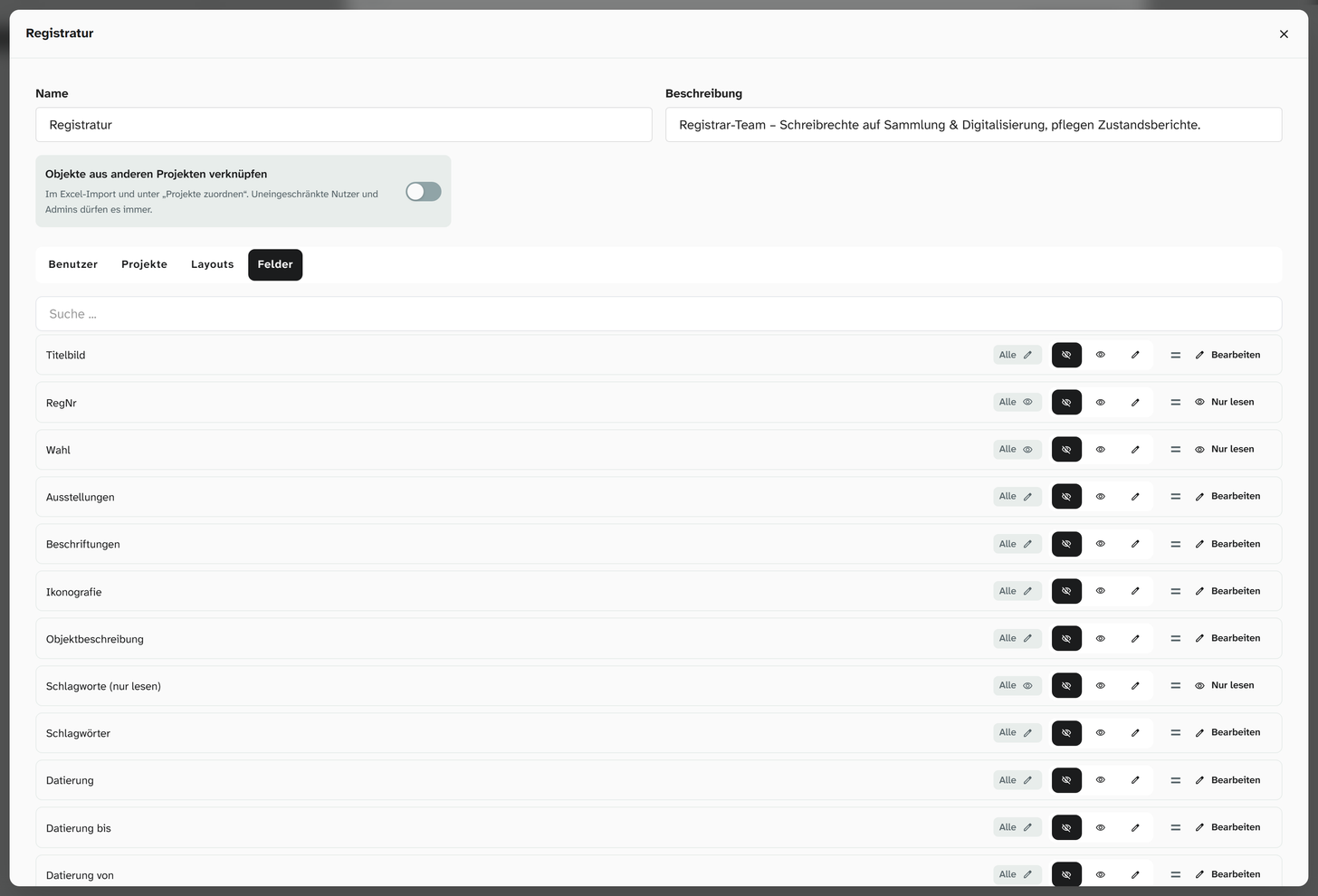
Open Permissions › Groups and create a new group.
-
Assign the members on the Users tab.
-
Set the permissions on the Projects, Layouts and Fields tabs: No access, Read only or Edit.
-
Permissions on event types are not granted here but in Libraries › Events, on the Event kinds tab, at the type concerned.
-
Check with an account from the group that has status 3.
Divide by activity
Two ways of dividing are common:
| Division | Group contains | Assessment |
|---|---|---|
| By activity | The layout and fields of one activity | Recommended. Activities last longer than projects |
| By project | The project permissions | Only if layouts and fields are open to everyone anyway |
When you divide by activity, you grant the project permissions on the account. They change more often.
A set that has proved useful:
| Group | Permissions |
|---|---|
| Erfassung (data entry) | Data entry layout and general fields: Edit |
| Restaurierung (conservation) | Conservation layout, condition fields, event type Restaurierung: Edit |
| Leihverkehr (loans) | Loans layout, loan fields, insurance value, event type Leihgabe (loan): Edit |
| Vermittlung (education) | Overview layout and core fields: Read only |
| Extern (external) | A reduced layout and a few fields: Edit |
Permissions combine
An account can be in any number of groups. Of all the places, the most generous one applies. No access in one group takes away no permission that another grants.
If you want to take a permission away from a person, you have to find the place that grants it. An extra group with No access achieves nothing.
What groups do not control
| Area | What it depends on |
|---|---|
| The status | Belongs to the account |
| Individual objects | Anyone who sees a project sees all the objects in it |
| Managing libraries | Status 9. Exception: event types have group permissions |
Further reading
- Permission model : the decision tables
- Roles and status : role divisions that have proved useful
- Grant access : the order and the check