Field types

Text

Field type text. Free text, optionally with suggestions. Data entry from the cataloguer’s side is described under Text .

Parameters

KeyValuesIf omittedEffect
valuesList of stringsemptyFixed suggestions
dynamic_optionstrue, falsefalseAlso offers what this field already holds on other objects
Example Result
JSON
{
  "values": [
    "gut",
    "stabil, leichte Gebrauchsspuren",
    "restaurierungsbedürftig",
    "nicht transportfähig",
    "in Restaurierung"
  ],
  "dynamic_options": false
}
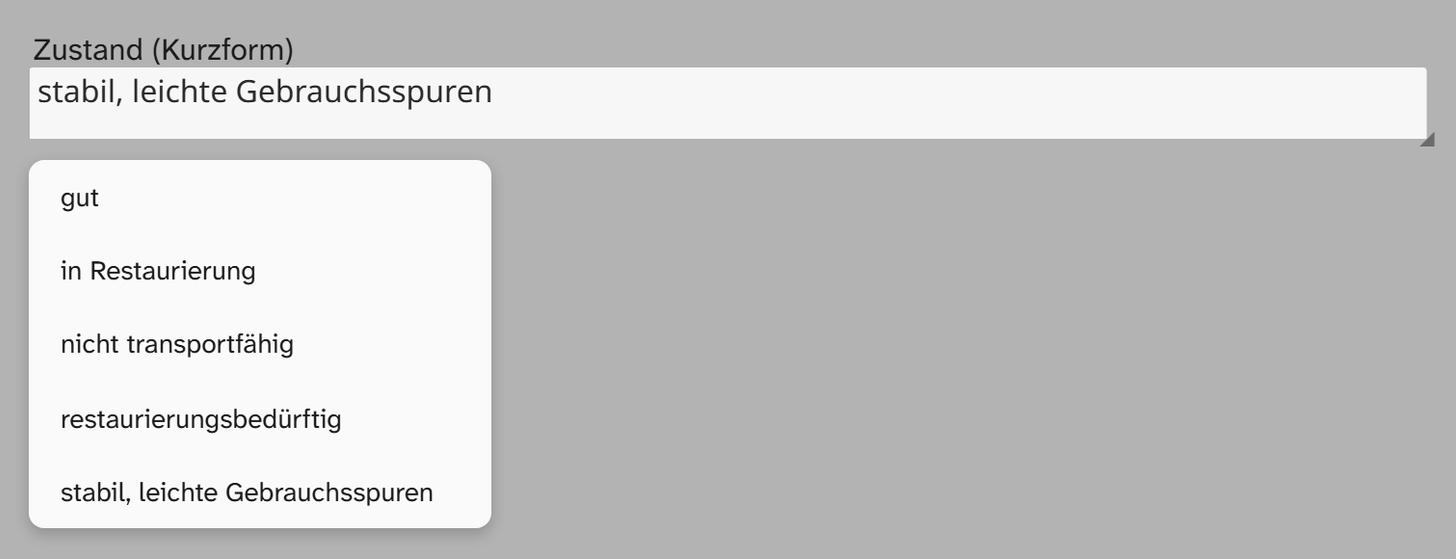
Text field Zustand (Kurzform) in Moliri with the value stabil, leichte Gebrauchsspuren and, below it, the open list of the five fixed suggestions from gut to stabil, leichte Gebrauchsspuren
The field “Zustand (Kurzform)” (condition, short form) with five fixed suggestions. The list appears in alphabetical order, not in the order of the configuration.

With dynamic_options: true the values this field already holds on other objects would be added.

Without any configuration it is a plain text field without suggestions.

dynamic_options helps against spelling variants in fields whose set of values should stay open. If the set is limited and you want to group or filter by the value, the select list is the better field type: there the values are binding, here they are only offered.

Formatting

The field type comes with no formatting. You can add an output formatter of your own to the field, see Formatting .

When another field type fits

NeedField type
Binding listSelect list
Bold, italics, paragraphsFormatted text
Values with levels such as Europe/Germany/BerlinSelection tree
Inventory numbers and shelf marksText, even if they look like numbers. Leading zeros and parts such as 2019/0412 do not survive a number field