
Field types
Selection tree
The field type for values with levels, shown as an open tree in the field. In the selection when you create
a field it is called treeselect. Data entry from the cataloguer’s side is described under Selection tree .
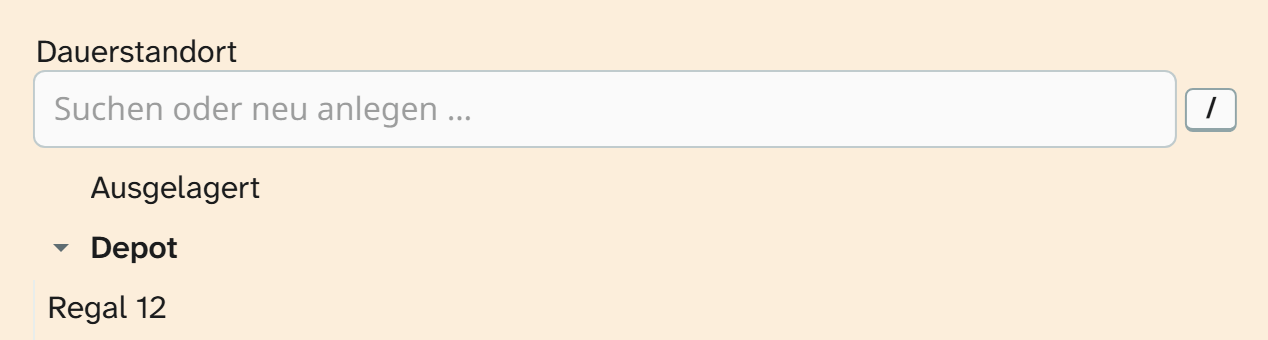
The hierarchical select list works with the same values and the same storage form, but shows them as a drop-down list. Switching between the two leaves the data untouched.
The hierarchy is in the value
There is no vocabulary table behind it. Every value is a path, and the separator turns the paths into a tree:
JSON{
  "values": [
    "Haus A/Erdgeschoss/Raum 1",
    "Haus A/Erdgeschoss/Raum 2",
    "Haus B/Obergeschoss/Raum 1"
  ],
  "path_separator": "/",
  "multiple": false,
  "store_path": "full"
}
Restructuring the values means changing the configuration, not migrating data. Renaming a level, however, changes only the list: existing values keep the old path. If you rename levels, bring the values in line with a bulk edit .
Parameters
| Key | Values | If omitted | Effect |
|---|---|---|---|
values | List of paths | empty | The options |
path_separator | String | / | Splits a value into levels. Empty gives a flat list |
multiple | true, false | false | Several values can be chosen |
max_items | Number | no limit | Upper limit for multiple selection |
divider | String | , | Joins several values in the stored text |
save_as_json | true, false | false | Stores the selection as a JSON list instead of joined text |
store_path | full, leaf | full | The whole path or only the last level |
selectable_parents | true, false | false | true: intermediate levels can be chosen themselves. false: leaves only, and a click on a level toggles everything below it |
creatable | true, false | false | Paths of your own allowed during entry |
importable | true, false | false | The Excel import may write paths outside the list; manual entry may not |
dynamic_options | true, false | false | Also offers what this field holds on other objects |
searchable | true, false | true | Search box above the tree |
placeholder | String | empty | Placeholder in the search box |
expand_depth | Number | 1 | Expands the tree to this depth on loading |
sort | true, false | true | Sorts the levels alphabetically instead of in the order given in values |
store_path: the decision that matters
| Value | Stored | When it makes sense |
|---|---|---|
full | Haus A/Erdgeschoss/Raum 1 | When the level carries meaning. Raum 1 in Haus A and in Haus B stay different values, and split grouping gives one group per level |
leaf | Raum 1 | When only the final value counts and the hierarchy is just a navigation aid |
full is the safer choice. The leaf can always be derived from the path, but not the other way round.
For display there is the formatting “Lowest level only”.
Changing separators later
divider is part of the stored text, path_separator part of every single value. If you change either
of them later, existing values are split in places other than where they were written. The values have to
be updated as well.
save_as_json: true stores a real list. That is more precise but makes filters and the Excel export more
awkward. For most fields the joined form is right.
Import
Without creatable and without importable the Excel import accepts only paths from the list. It accepts
the whole path, and the last level on its own as long as it is unambiguous. The form stored is the one store_path specifies. Everything else is parked, see Resolve references . With multiple selection the whole cell counts
as one unit.
Formatting
The field type comes with Lowest level only. It reads the separator and the divider from the field’s configuration. It is not preselected anywhere, because leaving out the path can make values ambiguous. See Formatting .
When another field type fits
| Need | Field type |
|---|---|
| Little space in the layout, many values | Hierarchical select list |
| Flat list | Select list |
| Terms with identifier, source and translation, or a hierarchy maintained independently of the field | Authority record . A path in values is configuration; an authority record is part of your holdings |