
Field types
Select list
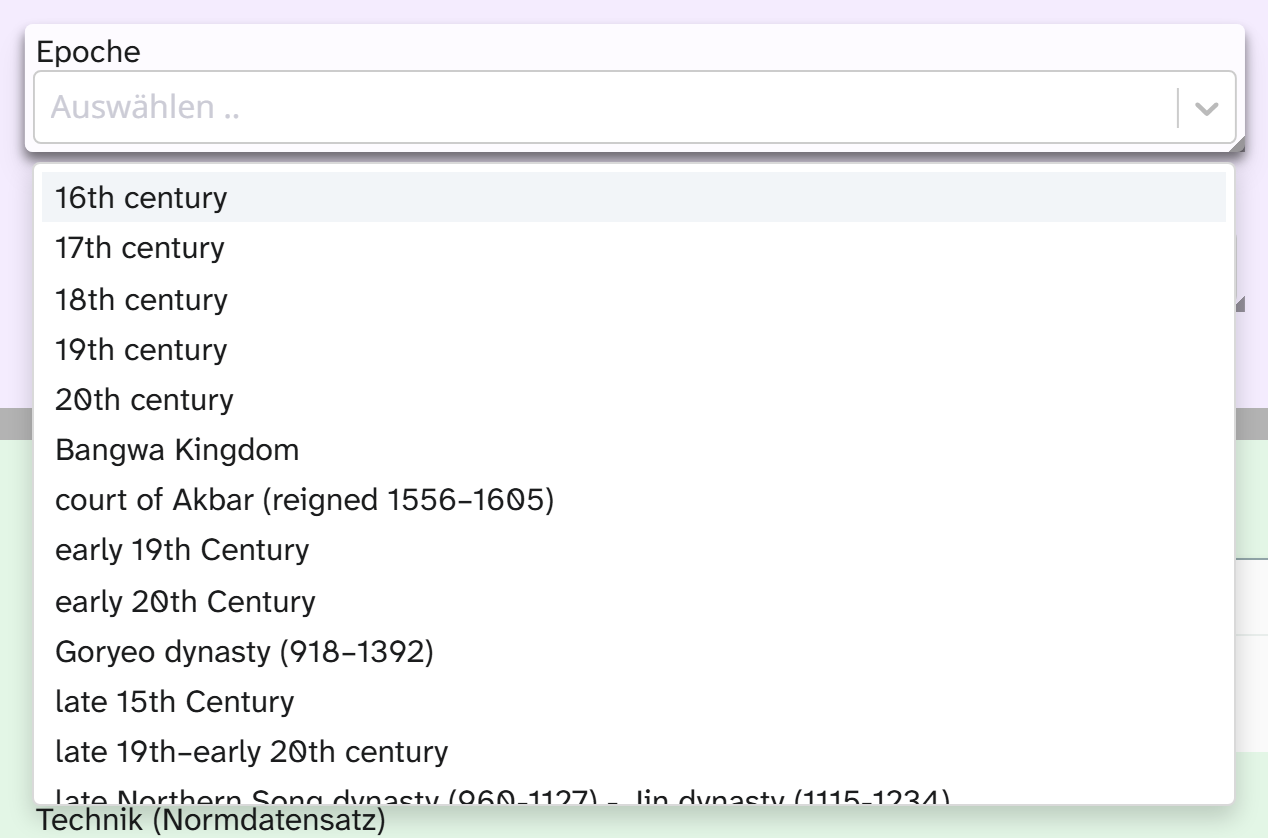
Field type select. A choice from a list; with multiple it also works as a keyword field. Data entry from
the cataloguer’s side is described under Select list .
Parameters
| Key | Values | If omitted | Effect |
|---|---|---|---|
values | List of strings or of name/value pairs | empty | The options |
multiple | true, false | false | Several values allowed. Stored as one string, joined with comma and space |
creatable | true, false | false | Options of your own allowed during entry |
importable | true, false | false | The Excel import may write values outside the list; manual entry may not |
dynamic_options | true, false | false | Also offers what this field holds on other objects |
clearable | true, false | true | The selection can be cleared |
sort_default_values | true, false | false | Sorts the options alphabetically instead of in the order given in values |
highlight_default_values | true, false | false | Sets the configured options apart from the collected ones |
JSON{
  "values": ["Gemälde", "Zeichnung", "Druckgrafik", "Skulptur"],
  "multiple": false,
  "creatable": false
}
Closed and growing vocabularies
| Pattern | Setting | Examples |
|---|---|---|
| Closed | creatable: false | Object type, inventory status, acquisition method. New values belong in the configuration |
| Growing | creatable: true and dynamic_options: true | Keywords, materials. A new value is then available to everyone else |
| Closed, but taking over legacy data | creatable: false and importable: true | The import may write legacy values; data entry stays bound to the list |
Import
Without creatable and without importable the Excel import accepts only values from the list; with dynamic_options the values of other objects count too. Differences in case and spaces are evened out.
Everything else is parked. Under Resolve references you can assign a parked value to an option,
discard it or, with the permission to manage fields, add it as a new option.
Formatting
The field type comes with the formatting Separated by middle dots (Landschaft · Bildnis). It is not
preselected anywhere, because it does nothing for a single selection. See Formatting .
When another field type fits
| Need | Field type |
|---|---|
| Values with levels | Selection tree or hierarchical select list |
| Terms with identifier, source and translation | Authority record |
| Yes or no | Switch |
| Three states such as checked, not checked, unknown | A select list with three options, not a switch |