
Field types
JSON schema
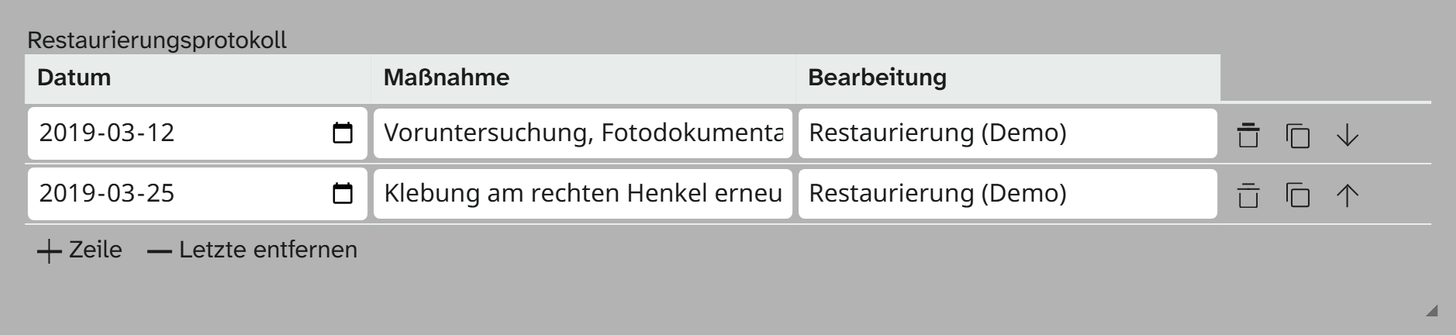
Field type json_schema. Any JSON, following a JSON Schema you write
yourself. The schema determines the input form, the range of values and the validation; the editor
writes the value back unchanged. Data entry from the cataloguer’s side is described under JSON schema .
Parameters
| Key | Values | Field type default | Effect |
|---|---|---|---|
schema | JSON Schema | a table with one number column | Structure and form of the field |
The editor is json-editor ; its documentation applies to everything the schema can do.
JSON{
  "schema": {
    "type": "array",
    "format": "table",
    "title": " ",
    "items": {
      "type": "object",
      "properties": {
        "height": { "type": "number", "title": "Höhe" },
        "width":  { "type": "number", "title": "Breite" }
      }
    }
  }
}
How it relates to the field type JSON
Both store JSON and exist side by side, with different value models:
json | json_schema | |
|---|---|---|
| Value model | List of entries (label and subfields) | Any JSON following the schema |
| Configuration | view, labels, fields, max | a schema |
| Output formatter | yes | no |
| Binding to standards | yes, as a repeatable source | no |
| Excel import | Document, column rule, value under a label | only a complete document |
For new fields, JSON is usually the better choice. json_schema remains for structures that really have to be free. When the field types were split, all
existing JSON fields were assigned to this field type without touching their values. That is why an older
field sits here even if its structure is a simple table.
Switching an older field to JSON
Only the configuration is translated; the data stays where it is: the table form [{…},{…}] is
identical to the form “no labels, several subfields” of the field type JSON.
JSON{
  "view": "table",
  "max": null,
  "fields": [
    { "key": "height", "label": "Höhe",   "type": "number" },
    { "key": "width",  "label": "Breite", "type": "number" }
  ]
}
Then set the field type under Basics to json. Two differences show up the first time a value is
written back: empty strings are dropped, and {"height": 1} becomes {"height": "1"}, because the field
type JSON writes strings.