
Field types
Hierarchical select list
The field type for values with levels, as a drop-down list with a tree view and a list view. In the
selection when you create a field it is called treesvelecte. Data entry from the cataloguer’s side is
described under Hierarchical select list .
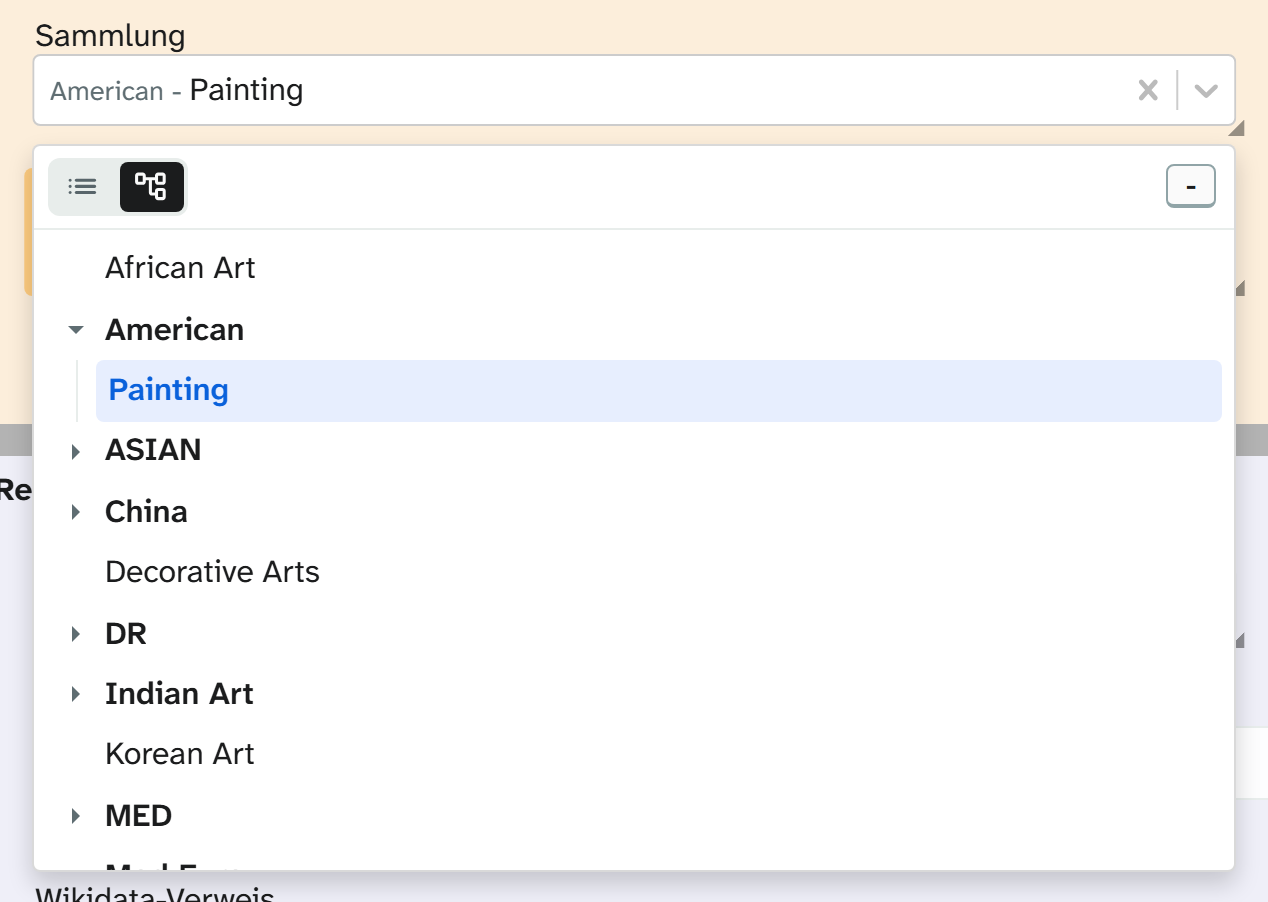
Values, separators and storage form are the same as for the selection tree . That page also covers store_path,
changing separators, the import behaviour and the formatting “Lowest level only”. This page lists the
parameters in full and describes what is different.
Parameters
| Key | Values | If omitted | Effect |
|---|---|---|---|
values | List of paths | empty | The options |
path_separator | String | / | Splits a value into levels. Empty gives a flat list |
multiple | true, false | false | Several values can be chosen |
divider | String | , | Joins several values in the stored text |
save_as_json | true, false | false | Stores the selection as a JSON list |
store_path | full, leaf | full | The whole path or only the last level |
selectable_parents | true, false | false | Intermediate levels can be chosen themselves |
creatable | true, false | false | Paths of your own allowed during entry |
importable | true, false | false | The Excel import may write paths outside the list; manual entry may not |
dynamic_options | true, false | false | Also offers what this field holds on other objects |
default_view | tree, list | list | Which view the drop-down list opens with |
close_on_select | true, false | false | Closes the drop-down list after each selection |
clearable | true, false | true | The selection can be cleared |
placeholder | String | empty | Placeholder in the empty field |
sort | true, false | true | Sorts the levels alphabetically instead of in the order given in values |
JSON{
  "values": ["Europa/Deutschland/Berlin", "Europa/Frankreich/Paris", "Asien/Japan/Tokio"],
  "multiple": true,
  "creatable": false,
  "default_view": "tree",
  "close_on_select": false
}
How it differs from the selection tree
| Selection tree | Hierarchical select list | |
|---|---|---|
| Display | The tree is open in the field | Chosen values in the field, selection in the drop-down list |
| Space needed | A lot, needs a large tile | One line |
| Search | Search box above the tree (searchable) | List view with fuzzy search |
| Upper limit | max_items | none |
| Suited to | Classification systems you need to find your way around in | Many values in a small space |
close_on_select: false makes it easier to set several values one after another. For single selection close_on_select: true is more convenient.
creatable belongs only in fields with a growing vocabulary. A newly typed path creates its levels as well;
with dynamic_options it is then available to all other objects. For closed classification systems creatable: false is right.