
Field types
Hierarchical select list
The same values with levels as in the selection tree , but saving space: the field only shows the chosen values, and the choice opens as a drop-down list.
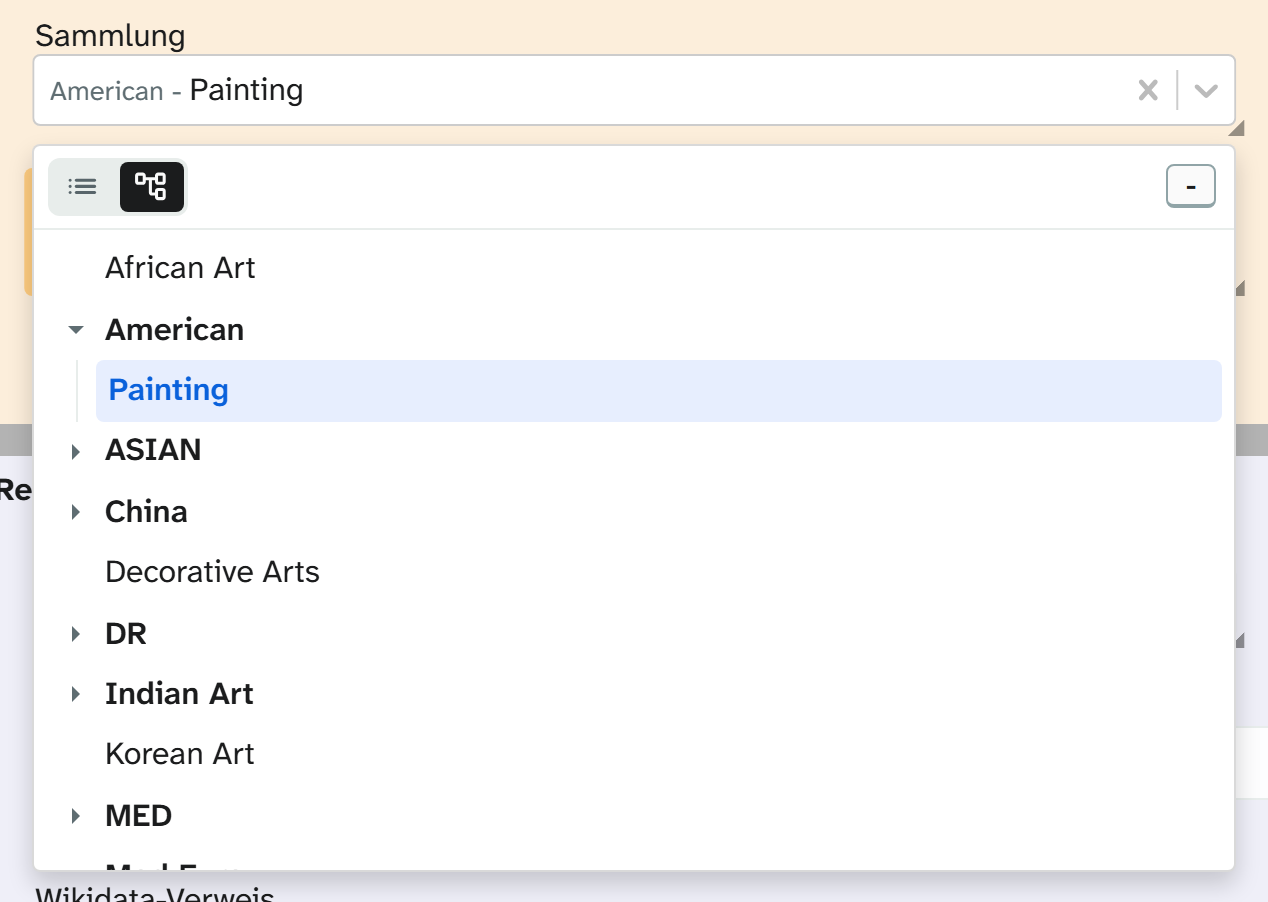
Input
Click into the field and the drop-down list opens. At the top you can switch between two views:
| View | Use |
|---|---|
| Tree view | For finding your way. Expand and collapse levels until you find the value |
| List | For typing. Shows the full paths one below the other and filters with fuzzy matching: eudebe finds Europa/Deutschland/Berlin |
The view the list opens with is set by the administration. You can always switch.
A click takes over the value. With multiple selection the list usually stays open so that you can set several values one after the other. Chosen values appear as tags in the field and can be removed one by one.
If your own values are allowed, the list offers to add a new term as you type it. A path with separators, such as Afrika/Ägypten/Kairo, creates the levels along with it.
What is stored
As with the selection tree: the whole path or only the last level, several values joined, usually with a comma and a space. Searching, filtering, sorting, grouping and the Excel import therefore behave exactly as they do there. See Selection tree .
Display and export
| Formatting | Result |
|---|---|
| Raw value | Europa/Deutschland/Berlin, Asien/Japan/Tokio |
| Lowest level only | Berlin, Tokio |
You choose the formatting in the view settings or in the Excel export . For templates see Output formatters in templates .
Setup
Values, the view on opening and your own values are set by the administration. See Configuring the hierarchical select list .