
Field types
Address
A reference to a person or institution in the address book . For lenders, conservators, insurers, shipping agents, contact persons.
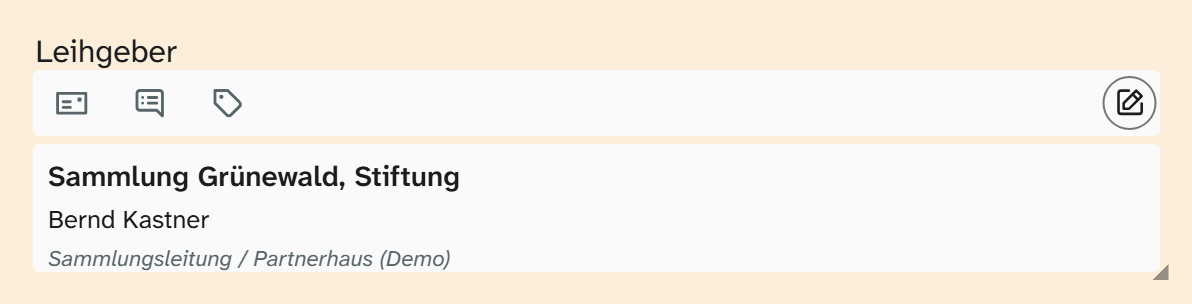
Input
The field opens a selection window. At the top is the search by designation, place, person or role, below it the hits as a single-column list, each with its postal address on the right. A click chooses the address and saves. If one is already chosen, the window first shows its details with “Choose a different address”; the search then shows the current choice at the top under “Chosen address”.
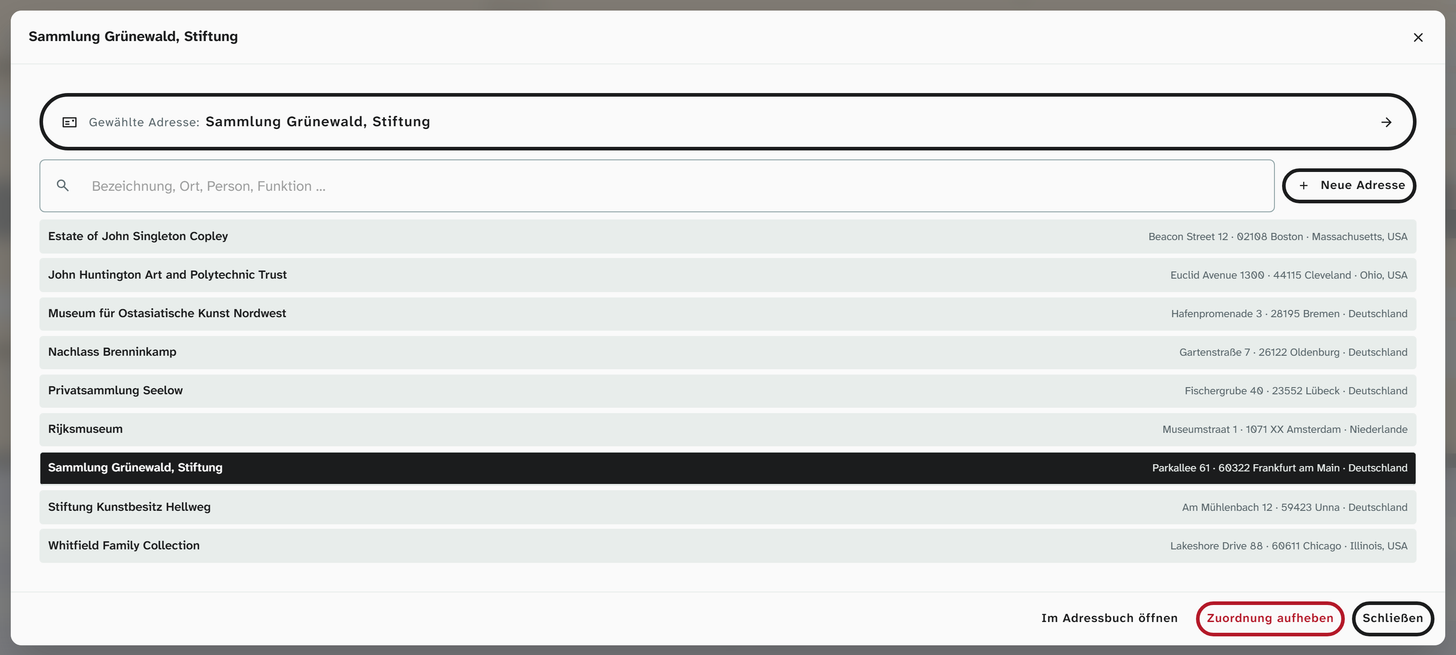
“New address” creates an entry in the address book, provided you have the right to do so there. “Remove assignment” clears the field; the address itself stays in the address book.
If the field does not show an address you are looking for, it probably restricts the choice to certain address types or roles. That is set by the administration.
What is stored
A reference to the person in the address book, not their name. A correction in the address book therefore takes effect everywhere: if a museum moves, the postal address changes in all objects and contracts.
This also applies to the postal address itself. All persons of an institution share it. The field therefore shows two usage notes: how often the person is linked and how often the postal address is. If you correct a street, you change it for every object that uses any person of this institution.
Searching, sorting, editing
The parts of the address are available as subfields, for example last name, first name, role, email, institution, street, postcode, town, country. Searching, filtering, sorting and grouping work via a subfield, for example all objects per lender via the institution.
| Action | Behaviour |
|---|---|
| Full-text search, filter | Via the subfields, with all text operators |
| Sorting, grouping | Via a subfield |
| Bulk edit | Replace and clear the reference. Subfields cannot be written here |
| Excel import | A name in a cell is not a reference. It is parked and assigned to an address via Resolve references |
In the field selection of views and export only the address field is listed; you choose which subfield is output on the selected entry.
Display and export
| Formatting | Preset in | Result |
|---|---|---|
| Raw value | Export | All parts of the address in a row, including phone and fax |
| Address on one line | Gallery, table, kanban | Institution, person, street and number, postcode and town |
Since version 1.4.23 the institution always comes first, even when a contact person is named.
Städtische Sammlung Musterstadt, Frau Dr. Erika Mustermann, Hauptstraße 1, 12345 Musterstadt
In the Excel export each subfield can be chosen as a column of its own. The same applies to templates, see Template variables . If you expect a name there, use the subfield last name or first name, not the field itself.
Setup
Restricting the field to address types and roles is set by the administration. See Configuring addresses .