
Libraries
Address book
A directory of institutions and people for the whole instance: lenders, insurers, shipping agents, workshops. An address field refers to it. The address book is a contact directory, not an authority file for people. Artists and other people in the object’s history belong in the authority data .
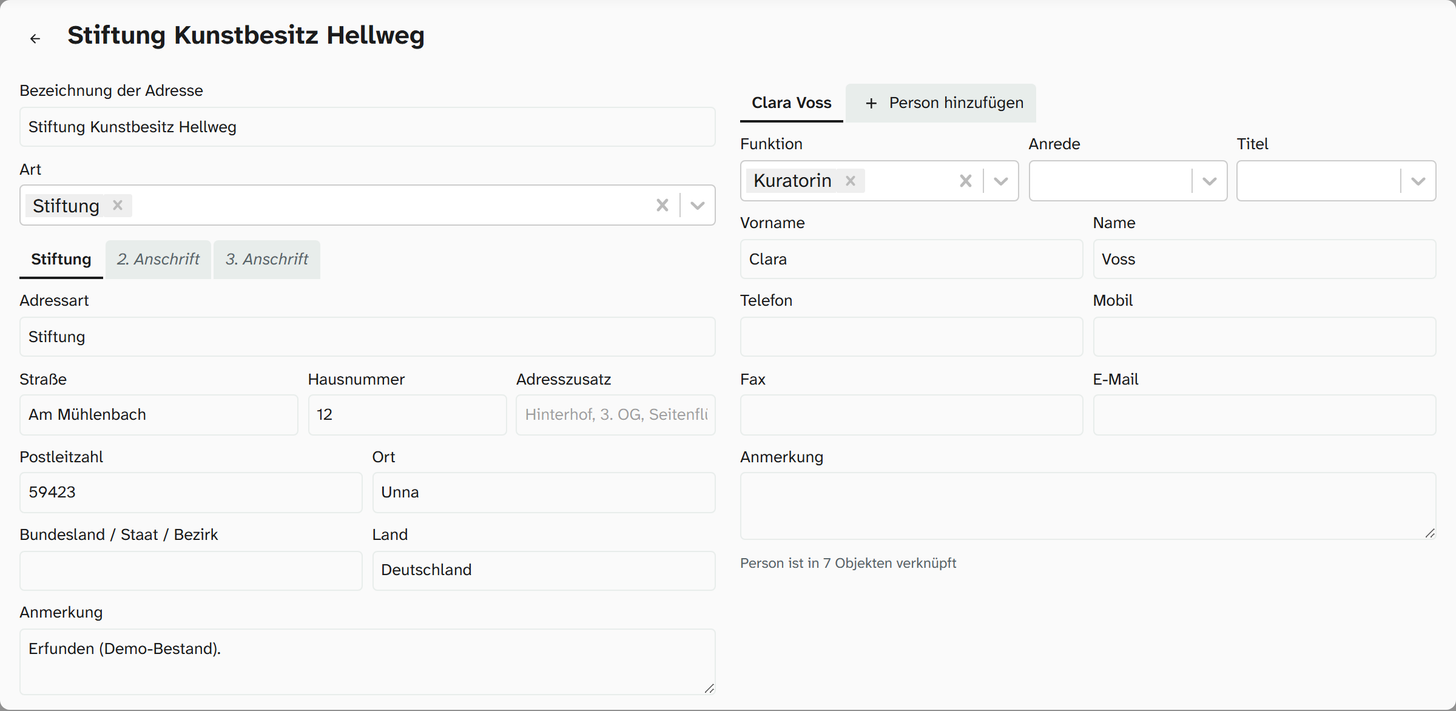
Under Libraries › Addresses all addresses are listed, grouped by country. A bar at the top jumps to the matching group by country and city. Each entry gives its type and city, below it the people with their function, and on the right in how many objects it is used. A click opens the address as a page of its own: on the left the designation, type and the postal addresses, on the right the people as tabs with Add Person. The arrow at the top left takes you back to the list.
Two levels
| Level | What | Example |
|---|---|---|
| Address | An institution with up to three postal addresses | Galerie Musterstadt |
| Person | A person at this institution | Dr. Erika Beispiel, registrar |
An address can have any number of people. An address field refers to a person and so provides that person’s details and the postal address of their institution.
You create a private individual as an address with one person. The address designation is then their name.
Details of an address
| Detail | Note |
|---|---|
| Address designation | Name of the institution. The search in the field searches here |
| Type | Category, such as Museum, Lender, Shipping agent, Private. A field can be restricted to one type |
| Note | Free text about the institution |
In addition there are three postal addresses as tabs with the same details. The first tab carries the address type as its name, the others are called 2. Anschrift and 3. Anschrift (2nd and 3rd address):
| Detail | Note |
|---|---|
| Address type | Such as Postal address, Delivery address, Pickup address |
| Street, House number, Address line 2 | Address line 2 for example rear courtyard, 3rd floor, side wing |
| Postal code, City / Town | |
| State / Province / District, Country |
Which postal address appears in a contract is determined by the Word template.
Details of a person
| Detail | Note |
|---|---|
| Salutation | Free text with suggestions from the address book |
| Title | |
| First name, Name | |
| Function | Several are possible, with suggestions. A field can be restricted to one function |
| Telephone, mobile, fax, email | |
| Note | Free text about the person |
Salutation and Function suggest what already occurs. This produces consistent spelling without anyone having to maintain a list. Letterheads and contracts need the Salutation.
Choosing in the field
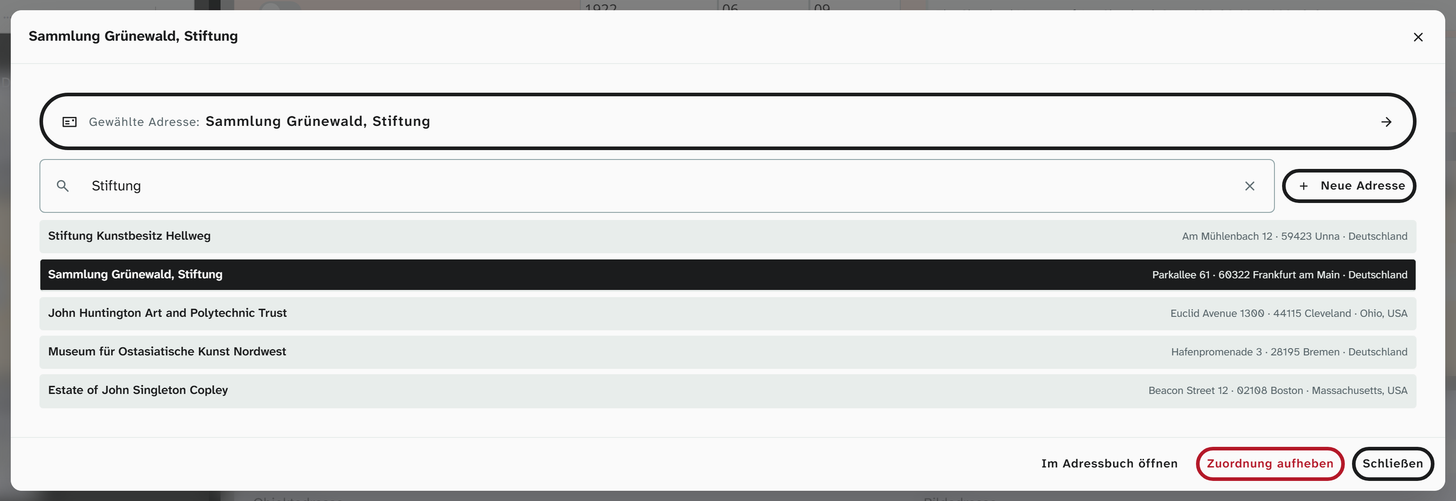
A click in the address field opens the Address dialog. If an address is already chosen, the dialog carries its designation as the title and shows its details; Choose a different address switches to the search, which names the Chosen address at the top. The hits are shown as a single-column list, each with the postal address on the right.
| Element | Effect |
|---|---|
| Search field | Searches designation, city, person and function |
| New address | Creates an address, from status 6. If exactly one type is set up on the field, it is preselected |
| Open in address book | Jumps to the chosen entry |
| Choose a different address | Chooses another person |
| Remove assignment | Empties the field |
| Close | Closes the dialog |
Permissions
| Action | Permission |
|---|---|
| Choose in the field | Write access to the field |
| Create and change an address or person | Status 6 |
| Address book under Libraries › Addresses | Status 9 |
People who may catalogue should be able to choose, but not necessarily create entries. The address book is a shared basis for all projects.
Usage and deleting
In the dialog, Moliri shows whether a person is used only in this object or in others as well (This person is also used in n other objects), and for a postal address, how many other people and objects share it. Before you delete a person, you see in how many objects they are linked. Deleting empties these fields.
For an entry that is no longer valid, the note is often a better route than deleting.
In exports and templates
In the gallery, table and kanban, an address field appears formatted, with the institution first. In the Excel export the stored value comes first; you choose a formatting there per column. In Word templates all details are available individually, such as salutation, name or the street of the first postal address. Their names are listed under Template variables .
Further reading
- Address : the field type
- Maintain addresses : the procedure
- Resolve references : assigning lenders from an import column