
Objects
Copy an object
Create one or more new objects with the same field values, for example for the parts of a series that comes in as a loan.
-
Open the object menu (☰) on the object preview.
-
Choose Copy Object.
-
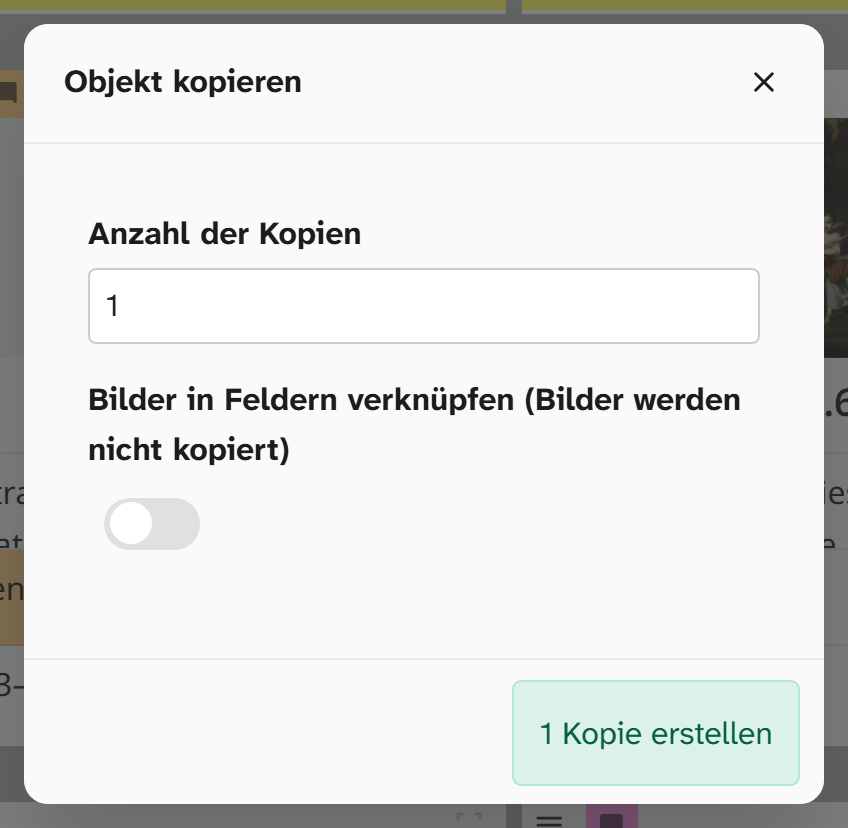
In the dialog, enter the Number of copies. If needed, switch on the toggle Link images in fields (images wont be copied).
-
Click Create … copies (the button shows the number). The copies appear in the selection of the current project. They do not open by themselves.
What is copied and what is not
| Copied | |
|---|---|
| Field values | yes |
| Wahl | yes. The copy of an object from the trash is also in the trash |
| Annotations (colour, comment, source, uncertain) | no |
| Files | no. With the toggle, the images in image fields are linked, not duplicated |
| Project links | only the current project |
| History | no, the copy’s history starts when it is created |
If you link the images, be aware that it is the same file. A crop or a marking on the file then takes effect on both objects.
What to check afterwards
| Field | Why |
|---|---|
| Inventarnummer (inventory number) | Must be unique. The copy has the same number as the original |
| Maße (dimensions) | Almost always different in a series |
| Standort (location) | Two objects in the same place is rarely right |
For several copies that differ in only a few fields, bulk edit is worth using: filter the copies and set the shared changes in one run. Different inventory numbers are entered individually, for example in the table .