
Views
Set up the gallery
The gallery shows the object selection as cards with image and text. For the curator it is the view of an exhibition’s selection; for the registrar it is the quick check whether there is an image for every loan.
-
Open the view settings: the cog on the right of the project header.
-
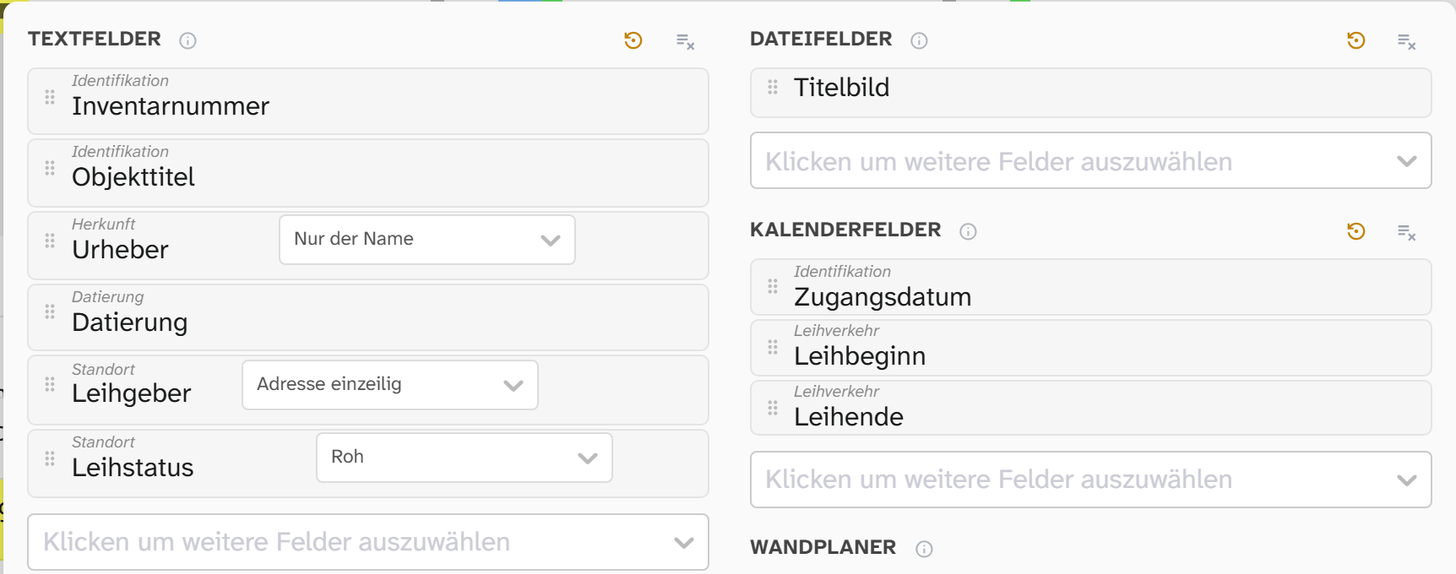
Under File fields, choose the image fields, for example Titelbild (cover image). The regular card shows all chosen file fields side by side.
-
Under Text fields, choose the fields and put them in order by dragging. The order is the order on the card, and the first field sits at the top as the title. For a loans overview, for example Objekttitel (object title), Urheber (creator), Leihgeber (lender), Leihstatus (loan status).
-
In the gallery, set the Tile width with the slider and choose the Card density with the Compact or Regular icons.
The quick search searches the text fields chosen here. If you take a field off the card, you also take it out of the quick search. The full-text search is not affected.
What a click does
A click on the image always opens the object. What a click on a text field of the card does is set under Global settings (button at the bottom of the view settings), group Display, setting Click on field (gallery):
| Setting | When it makes sense |
|---|---|
| Open object | Default. When looking through and cataloguing |
| Copy content | When transferring data to another system |
| Edit field | When going through one field across many objects |
| Do nothing | When accidental clicks get in the way |
Regardless of this, every field on the card has a pencil button Edit and one for copying. Compact cards do not follow the setting.
Maintain one field across many objects
Example: add the loan status to all loans in the exhibition.
-
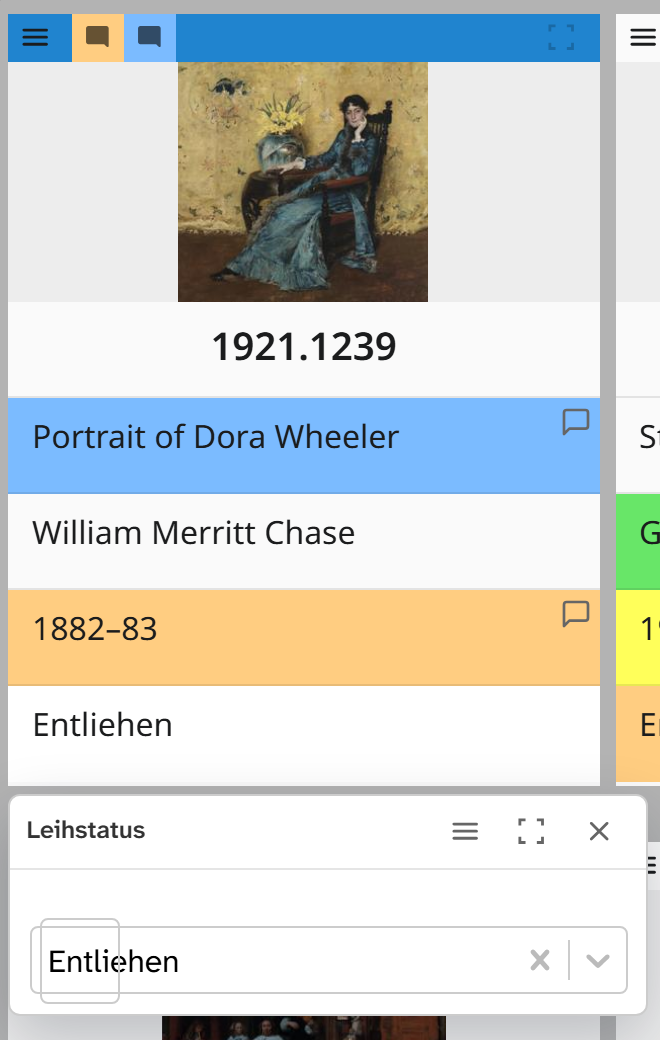
Set Click on field (gallery) to Edit field.
-
Make Leihstatus the first text field, so that it sits in the same place on every card.
-
Filter for the objects where it is missing: Leihstatus, Equal, empty search term.
-
Card by card, click the value and enter it. In the same window, Open field menu opens colour and comment.
If the same change is to apply to many objects, bulk edit is faster.
Further reading
- Gallery : full reference
- Save a view : keep the setup