
Data model
Import functions
In the Excel import you can attach a small function to each column that reshapes the cell before the field type checks it. This is how “Meier, Hans” becomes “Hans Meier”, two columns become one value, or an existing value stays protected.
Functions you need again and again are stored as templates in a library. You find it under Data model › Import functions (status 9). You can group the list by scope or by name, and the selection next to it filters (All, One field, One field type, All fields, Defaults only). Clicking a template opens it in the Edit template dialog. You can also create a template directly during an import.
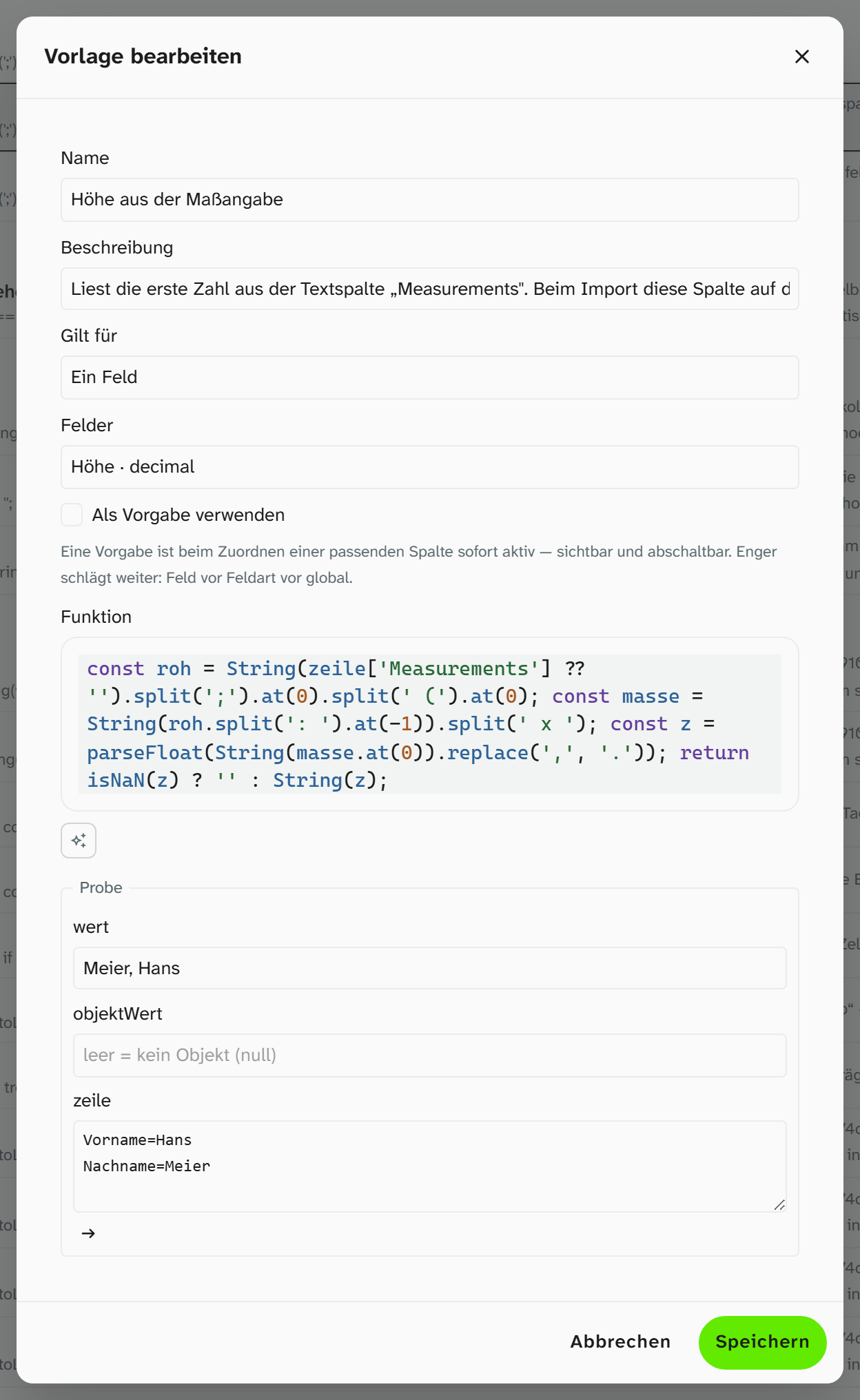
A template
| Property | Meaning |
|---|---|
| Name | The name under which the template appears during import |
| Description | What it is for |
| Applies to | All fields, One field type or One field |
| Use as default | The template is active as soon as a matching column is mapped, visible and possible to switch off |
| Function | The body that returns the new cell value |
| Try it | Enter test values and see the result or the error message straight away |
Built-in functions
Under Built in you find the functions that come with Moliri: Split dimensions into height, width, depth and diameter, Dating → from and to, Cut off the unit, mm → cm, Inches → cm, Excel day count → date, Date, day first, Yes/no → switch and Split a list at its separator. What they read is described in the Excel import . They cannot be changed or deleted. A click opens one with its function and test, and Save creates a copy of your own that you can then adapt. During import they only appear on fields they were written for, and never as a default.
Defaults
A template with Use as default is a preset for the import: when you map a column to a matching field, the function is already active. If there are several defaults, the narrower one wins: One field before One field type before All fields. The Defaults only filter shows them in the list.
A function attached to a column during import is a copy. Changing or deleting a template does not change imports that are already in progress.
What a function sees
| Name | Contents |
|---|---|
wert | The cell of this column as text |
zeile | All cells of the same row, by column heading: zeile['Vorname'] |
objektWert | What the target field currently holds, if the row is matched to an existing object. Otherwise null |
objekt | All fields of the matched object, by field name. Empty if there is no match |
leer | leer(v) is true for a missing or empty value |
Some examples:
JS// two columns into one value
return zeile['Vorname'] + ' ' + zeile['Nachname'];
JS// protect what is already there
return objektWert || wert;
JS// append instead of replacing
return objektWert ? objektWert + '; ' + wert : wert;
The same subset of JavaScript is allowed as for virtual fields, see Creating a virtual field . A function can only read the data, never change it. Anything that is not allowed is reported before saving (This function is not allowed.).
Order during import
The function runs first. After that the field type checks the value as usual: a select list matches it against its options, an authority field looks up the term, a JSON field accepts a document. Anything that then does not match unambiguously is parked and marked to resolve.
Further reading
- Importing Excel : the import from the user’s point of view
- Excel import : mapping, modes, preview
- Field configuration : what the field type checks against