
Permissions
Admin areas
The main menu only shows what your own status allows. An account with status 3 or 6 sees Projects, Permissions with Sharing as its only entry and, on the right, profile, language and Logout. All other admin menus and entries require status 9.
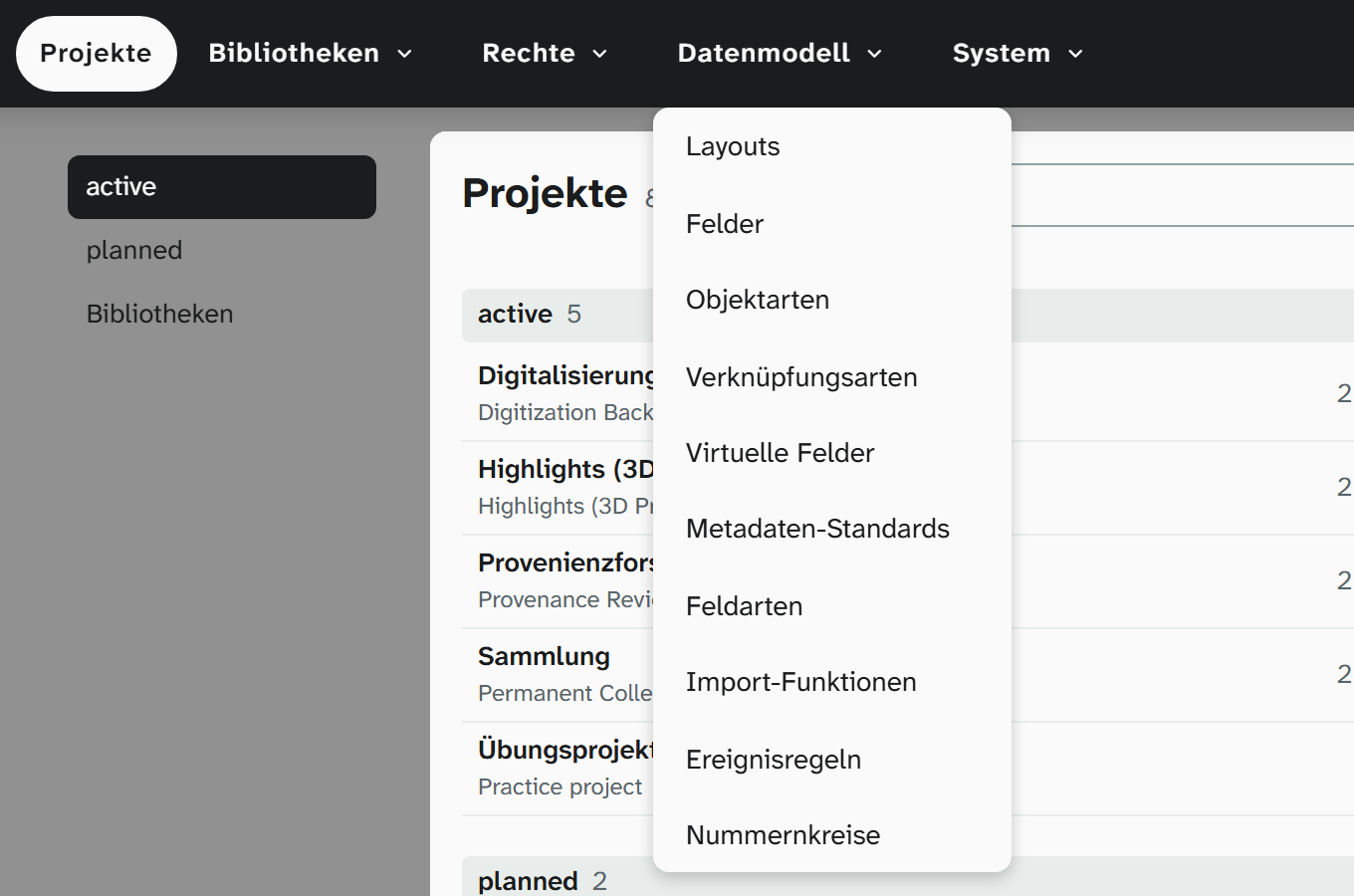
The menu structure
| Menu | Item | Status | Contents |
|---|---|---|---|
| Projects | 3 | The project overview with timeline. Start page after login | |
| Libraries | Addresses | 9 | Address book |
| Files | 9 | File library | |
| Events | 9 | Events and event types | |
| Authority data | 9 | Authority data | |
| Locations | 9 | Locations | |
| Plans | 9 | The plan library of the wall planner | |
| Permissions | Users | 9 | Accounts, status, groups, project permissions |
| Groups | 9 | Groups and their permissions | |
| Sharing | 3 | Public shares for Linked Data and IIIF. See Shares | |
| Data model | Layouts | 9 | Layouts |
| Fields | 9 | Fields | |
| Object types | 9 | Which type an object is, and which type a project sets for new objects | |
| Link types | 9 | Link types | |
| Virtual fields | 9 | Virtual fields | |
| Metadata standards | 9 | Metadata standards | |
| Field types | 9 | The defaults for each field type, see Field types | |
| Import functions | 9 | Import functions | |
| Event rules | 9 | Event rules : fill fields when an object is created, linked or imported, or when a field is saved | |
| Number ranges | 9 | The number ranges of the event rules with their current counts | |
| System | Settings | 9 | Defaults for the whole instance, see below |
| History | 9 | The history of the whole instance | |
| Licenses | 9 | Licences of the software and vocabularies used | |
| right | Your own name | 3 | Profile : profile picture, password, two-factor, single sign-on, speech input, text recognition, display, chat, access tokens |
| right | Language | 3 | Language of the interface |
| right | Logout | 3 |
The menus follow the question of what you are doing at the moment: maintaining shared data (Libraries), deciding who may see what (Permissions: accounts, groups and public shares), defining what is recorded (Data model), setting up the instance and tracing what happened (System).
Settings
| Section | Item | Contents |
|---|---|---|
| View | Field selections | Default for which fields the views show |
| Display | Default for view type, card density and sizes | |
| Formatting | Default for date and number format, yes/no display, text for empty values | |
| Data | System fields | Display names for object ID and Wahl, hiding Wahl, base URI for Linked Data, Crossref contact address. See System fields |
| Hotspot types | The types for markers in the image studio and on 3D models | |
| Cleanup | Steps that every value of the instance goes through before it is saved, and the run across existing values. See Cleanup | |
| Citation style | Style and language of citations from literature records, with preview. See Citation style | |
| AI account | The language model Moliri can ask: interface, endpoint, model, key, plus the model for text recognition. See AI account |
The defaults under View only apply as long as a person has not changed the value in question themselves. The order of precedence is described under View settings .
Not in the menu
| Area | Where instead |
|---|---|
| Creation rules | In the project details, Object creation tab. See Creating a project |
| Wall planner settings | On the project and on the plan. See Wall planner |